
Loading the lesson
Loading the lesson
Search AllRounder.ai
Search the courses, subjects, tracks, games and features, or jump straight to a page.
Search the courses, subjects, tracks, games and features, or jump straight to a page.
Learn it your way
A short class with Sarah and her students. The other ways are under More.
Sign up free to listen. Transcripts are free to read.

Today, we're diving into the key role of an Operating System, or OS. Can anyone tell me what an OS does?

Is it the thing that makes the computer run?
Exactly! The OS manages all hardware and software resources, acting as an intermediary between you and the computer's hardware. Remember the acronym 'RMPFD' – Resource, Memory, Process, File, Device management - these are its five main functions.

What does each part of that mean?
Great question! Resource Management ensures the CPU and memory are allocated efficiently. Next, Process Management controls which programs run and how they multitask. Let's break these down further in our next sessions.

Now, let's focus on the main functions of an Operating System. Who remembers 'RMPFD'?

I do! It stands for Resource, Memory, Process, File, and Device management.
Perfect! Let’s start with Resource Management. It ensures all the hardware resources like CPU, memory, and disk space are shared fairly. Why do you think this is important?

So that one program doesn't hog everything?
Exactly! If one program uses too many resources, it can slow down the entire system. Now, can anyone explain what Process Management does?
Let’s dive into Memory Management. This function allocates and tracks memory usage. Why do you think it's crucial?
If memory isn’t managed, programs might crash!
Exactly! Unmanaged memory can lead to crashes. It keeps track of what memory space is taken and what is free. Can someone explain how this ties into File Management?
File Management organizes where files are stored, right? It's like organizing a library!
That's a great analogy! An OS organizes files in directories and folders, making them easier to retrieve.
Let’s shift gears to the Graphical User Interface, or GUI. Can someone describe what a GUI is?
It’s the pretty part with icons and windows!
Right! A GUI allows users to interact visually, making it much easier than text commands. It reduces the need to memorize commands. Can anyone think of a benefit of using a GUI?
You can multitask better because of multiple windows!
Exactly! You can have several applications open, which enhances productivity.
Finally, let’s compare CLI to GUI. Which one do you think is easier for beginners?
GUI, because it uses icons and isn't just typing!
Exactly! While a command line requires memorizing commands, GUIs are much more user-friendly. Can anyone name an example of each?
MS-DOS for CLI and Windows for GUI?
Perfect! Remember, while CLI can be faster for experts, GUIs are more accessible for everyday users.
Software managing computer hardware and software.
A user-friendly interface using graphics for interaction.
The allocation of computer resources like CPU and memory.
Overseeing the execution of applications.
Allocation and tracking of computer memory.
Organization of files and directories.
Control over peripherals and hardware devices.
OS like a boss, managing your tasks, making sure nothing crashes when you need to ask.
Imagine a factory where the OS is the manager. It oversees the workers (resources), tasks (processes), and files (files) to ensure everything runs smoothly.
Remember 'RMPFD' for Resource, Memory, Process, File, Device - the functions of an OS.
BOA - Boss of All (like the OS manages everything).
Term
What does OS stand for?
Click to flip
Term
What is a GUI?
Click to flip
Term
Name one function of an OS.
Click to flip
A software that manages all the hardware and software resources of a computer.
A user interface that interacts through graphical elements like icons and windows.
The function of the OS that manages CPU, memory, and devices.
Controls the execution of programs and allows multitasking.
Allocates memory to programs and keeps track of memory usage.
Organizes files into directories and manages their storage and retrieval.
Controls and manages devices like keyboards, mice, and printers.
An interface where users type commands to perform tasks.
An operating system (OS) manages computer hardware and software, providing an interface for users, often through a graphical user interface (GUI).
The operating system (OS) serves as the critical software layer between users and hardware, handling various functions like resource, process, memory, and device management. Graphical User Interfaces (GUIs) enhance user interaction, making it more intuitive and accessible.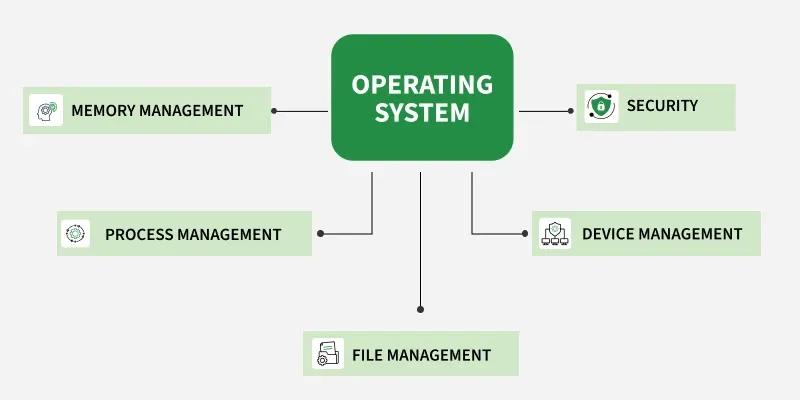
The Operating System (OS) is integral to any computer's functionality, acting as the primary software that manages both hardware and software resources. By interfacing between the user and the hardware, the OS allows seamless interaction and control. This section delves into several essential functions of an OS:


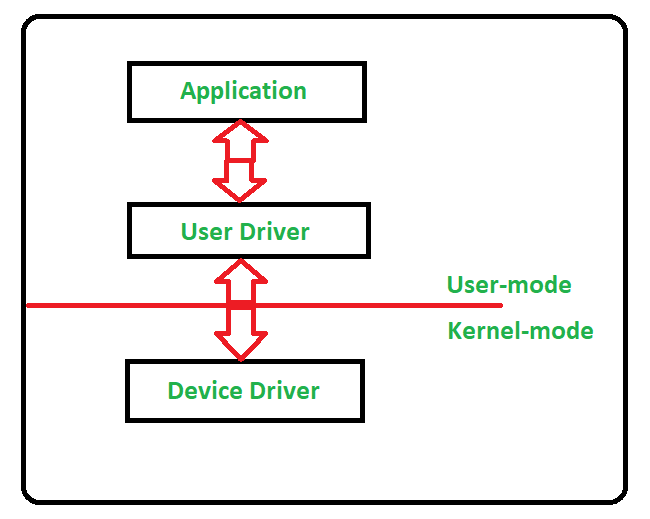
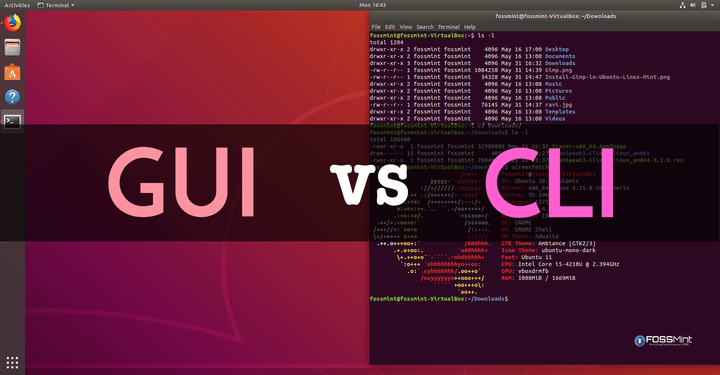
The transition from CLI to GUI represents a significant advancement, where GUIs enable interaction through graphical elements such as icons and menus, making them more user-friendly.
Overall, the Operating System is a vital component that supports efficient computer operation, enhances user experience through intuitive interfaces, and is central to the functionality of various popular OS platforms like Windows, macOS, and Linux.