
Loading the lesson
Loading the lesson
Search AllRounder.ai
Search the courses, subjects, tracks, games and features, or jump straight to a page.
Search the courses, subjects, tracks, games and features, or jump straight to a page.
Learn it your way
A short class with Sarah and her students. The other ways are under More.
Sign up free to listen. Transcripts are free to read.

Good morning, everyone! Today, we'll dive into functions in spreadsheets. Can anyone tell me why we might use functions instead of writing long formulas directly?

Maybe because they're faster and easier to use?
Exactly! Functions simplify our calculations. They are predefined formulas that can perform specific tasks. For example, if you want to add a set of numbers, you can use the SUM function.

How do we actually use the SUM function?
Great question! The syntax is =SUM(A1:A5) where A1 to A5 are the cells you want to add together. Remember the rule: all functions start with an equal sign.

So, all functions have a specific structure?
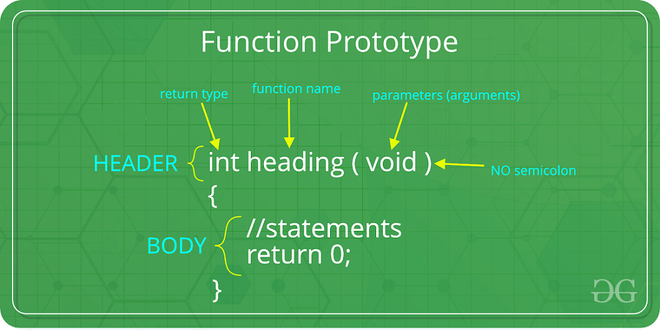
Yes, they do! The structure is FUNCTION_NAME(argument1, argument2, ...). This way, using functions becomes a straightforward process.

How will learning this help us?
Understanding functions enhances your ability to manage and analyze data effectively. It saves time and reduces errors in calculations. Let's summarize: functions are predefined formulas that simplify our calculations, starting with an equal sign.

Now that we know what functions are, let’s explore commonly used functions. First, who can tell me what the SUM function does?
It adds numbers in a specific range!
That's right! Now, (=AVERAGE) calculates the mean of a set of numbers. Can anyone give me an example of where we might use this?
In a class, we could find the average test score!
Perfect! The average helps us see overall performance. What about the MAX function?
That would give us the highest score, right?
Exactly! And on the flip side, the MIN function gives us the lowest. Lastly, the COUNT function tells us how many numeric entries we have in a range. Why is knowing the count of entries important?
It helps us understand how much data we’re working with!
Great insight! So we have the SUM, AVERAGE, MAX, MIN, and COUNT functions that are essential for data analysis. Let’s recap: these functions serve specific purposes that make our calculations easier.
Lastly, let’s focus on a unique function called IF. Can anyone tell me what this function does?
Does it check a condition and then decide what to do based on that?
Exactly! The IF function checks a condition and returns one value if it's true, and another if it's false. The syntax is =IF(condition, value_if_true, value_if_false). Can you give me an example of this?
Like if a student's score is above 50, then it shows 'Pass’? If not, 'Fail'?
Perfect! That’s a great real-world application of the IF function. It allows for dynamic evaluation of conditions. To summarize, the IF function is critical for logical testing in our spreadsheets.
Can anyone summarize what we have learned about functions today?
We learned that functions are predefined formulas that make calculations easier, like SUM, AVERAGE, MAX, MIN, COUNT, and IF.
Excellent summary! Functions help us analyze data more effectively. What types of data would you use functions with in your future careers?
In business, analyzing sales data using these functions can be very useful!
Absolutely! Functions are vital in various fields, from education to finance. Let’s remember the key takeaway: functions not only help in performing calculations quickly but also ensure accuracy.
Predefined formulas that simplify calculations in spreadsheets.
Function that adds values in a specified range of cells.
Function that calculates the mean of numeric values.
Function that identifies the largest value in a set.
Function that identifies the smallest value in a set.
Function that counts numeric entries in a range.
Conditional function that determines outcomes based on evaluating true/false conditions.
When you want to sum, just take a look, with =SUM you’ll find, it’s like a math book!
Imagine you have a fruit basket, and you want to count your apples, bananas, and oranges. Instead of counting each one, you use functions. =SUM gives you the total count of all the fruits!
Use the acronym F.A.M.S.C for Functions: F for Function name, A for Arguments, M for Max, S for Sum, and C for Count.
I use the acronym S.M.A.C to remember functions: S for SUM, M for MAX, A for AVERAGE, C for COUNT!
Term
What does the AVERAGE function do?
Click to flip
Term
Syntax of the IF function?
Click to flip
Term
What is the purpose of COUNT function?
Click to flip
Term
What does the MAX function return?
Click to flip
A predefined formula that performs a specific calculation in a spreadsheet.
A function that adds the numbers in a specified range of cells.
A function that calculates the arithmetic mean of a set of numbers.
A function that returns the largest number in a set of values.
A function that returns the smallest number in a set of values.
A function that counts how many numeric entries are in a specified range.
A conditional function that returns one value if a condition is true, and another if false.
Functions in spreadsheets are predefined formulas that simplify calculations.
This section covers the concept of functions in spreadsheets, detailing their syntax and common types, such as SUM, AVERAGE, MAX, MIN, COUNT, and IF, which facilitate quick and accurate data manipulation.
A function in a spreadsheet is a powerful tool that allows users to perform specific calculations without writing lengthy formulas. All functions begin with an equal sign = followed by the function name and its arguments, structured as FUNCTION_NAME(argument1, argument2, ...).
=SUM(A1:A5).=AVERAGE(B1:B5).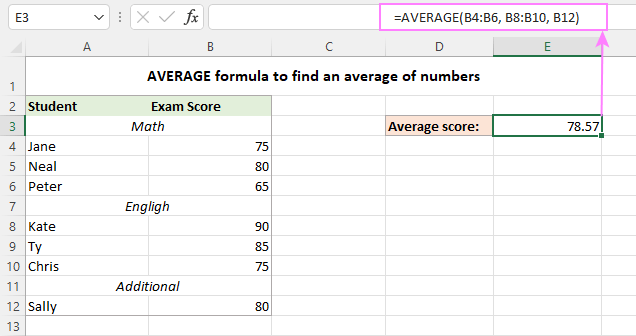
=MAX(C1:C10).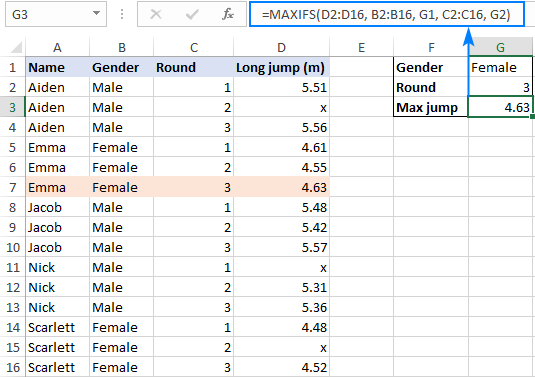
=MIN(D1:D10).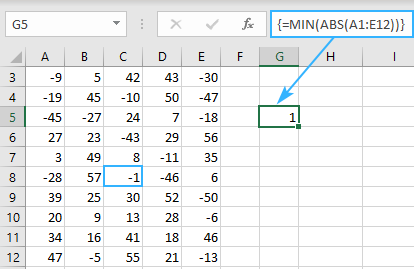
=COUNT(E1:E10).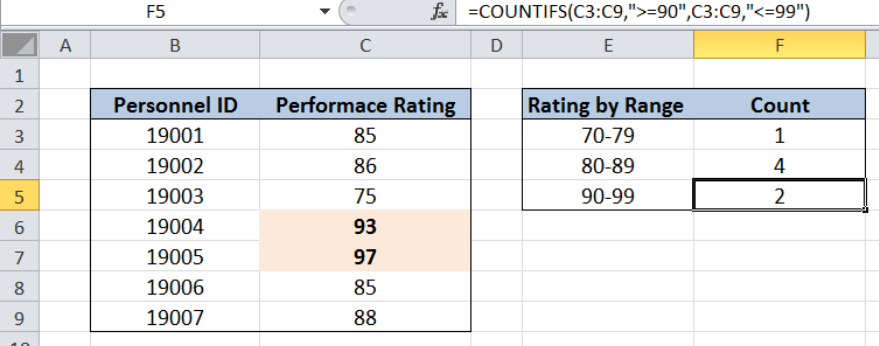
=IF(A1>50, "Pass", "Fail").
Understanding these functions is crucial for effective data analysis and manipulation in various fields.