
Memory Organization and Device Characteristics
Interactive Audio Lesson
Listen to a student-teacher conversation explaining the topic in a relatable way.
Memory Hierarchy Overview
🔒 Unlock Audio Lesson
Sign up and enroll to listen to this audio lesson

Today, we will explore the memory organization of a computer system. Can anyone tell me why it’s important to have a hierarchy of memory?

Is it to balance the different speeds and capacities of memory types?
Exactly! We organize memory in tiers such as registers, cache, main memory, and secondary storage based on their speed, cost per bit, and capacity. This helps the CPU operate efficiently. Let's break it down. Could someone remind us of what registers are?

Registers are the fastest type of memory located within the CPU itself.
Correct! They provide near-instant access. Remember, memory speed is essential; the closer to the CPU, the faster it is. Now, who can tell me about cache memory?

It's a fast buffer between the CPU and main memory, intended to keep frequently accessed data readily available.
Well stated! The cache organizes in levels, each with different access speeds. Lastly, what roles do main memory and secondary storage play?

Main memory is where active data and programs are loaded, while secondary storage is for long-term data retention.
Perfect summary! So, as we can see, through this hierarchical structure, we manage trade-offs between speed, size, cost, and volatility.
Registers and Their Characteristics
🔒 Unlock Audio Lesson
Sign up and enroll to listen to this audio lesson

Let’s dive deeper into registers. What characteristics make them unique?
They have the highest speed because they’re directly integrated into the CPU.
Correct! Their access time is in picoseconds. What about their capacity?
They hold very little data, usually just a few dozen to a few hundred bits.
Exactly! They’re highly volatile and meant for immediate processing needs. Can you name some types of registers?
Program Counter, Instruction Register, and General-Purpose Registers.
Good job! Remember, registers prepare the CPU by holding data and instructions that are actively processed. Let’s summarize: high speed, low capacity, and volatile.
Cache Memory Functionality
🔒 Unlock Audio Lesson
Sign up and enroll to listen to this audio lesson
Now let’s talk about cache memory and how it helps in enhancing performance. What's the primary role of cache?
To reduce the access delay when the CPU needs data from main memory.
Right! Cache is a high-speed buffer. What are the different levels of cache in a typical CPU?
L1, L2, and L3 caches. Each level has different speeds and sizes.
Excellent! Can anyone explain how cache helps with data access?
It uses principles like spatial and temporal locality to anticipate data that will be needed soon.
Exactly! By pre-fetching data into the cache, future requests can be satisfied much quicker. Remember, optimizing access times is key to overall CPU performance.
Understanding Main Memory
🔒 Unlock Audio Lesson
Sign up and enroll to listen to this audio lesson
Let's look at main memory now. Who can tell me its primary function?
Main memory is where the operating system, active applications, and their data reside.
Exactly! It's a central hub for active processes. What type of memory is it typically implemented with?
Mostly Dynamic RAM or DRAM.
Great! And how does this affect its performance and design?
DRAM is slower than SRAM but cheaper and denser, allowing large capacities.
Correct! So, which trade-offs do we see when comparing main memory to cache?
Main memory is slower with larger capacity, while cache is faster but has limited storage.
Exactly! Always remember the balancing act in our memory hierarchy.
Secondary Storage Characteristics
🔒 Unlock Audio Lesson
Sign up and enroll to listen to this audio lesson
Now let’s visit secondary storage. What distinguishes it from RAM?
It’s non-volatile, meaning it retains data even when the power is off.
Well done! What types of secondary storage do we typically encounter?
Hard Disk Drives, Solid State Drives, and USB drives.
Good! What about their capacity and access speeds?
They have large storage capacities but access times are much slower than RAM.
Exactly! Secondary storage is essential for persistent data storage. Remember, it plays a vital role in the concept of virtual memory as well!
Introduction & Overview
Read summaries of the section's main ideas at different levels of detail.
Quick Overview
Standard
The section delves into the hierarchical structure of memory systems in computers, elucidating the properties and roles of registers, cache memory, main memory, and secondary storage. Each type has distinct features affecting performance, capacity, and cost, which collectively harmonize system efficiency.
Detailed
Memory Organization and Device Characteristics
The organization of a computer's memory is crucial for efficient data processing and overall system performance. Due to the demands of modern applications, a hierarchical structure is utilized, wherein different types of memory play distinct roles, balancing speed, capacity, and cost. This hierarchy includes:
- CPU Registers: The fastest tier, directly connected to the CPU, allowing for ultra-fast data access (picoseconds). They are volatile, high-cost (22 compared to other memory types), and limited in capacity (typically 32-64 bits).
- Cache Memory: Serving as a buffer between the CPU and main memory, cache memory reduces speed disparity, storing copies of frequently accessed data and instructions. It operates in multiple levels (L1, L2, L3) with progressively larger but slower caches.
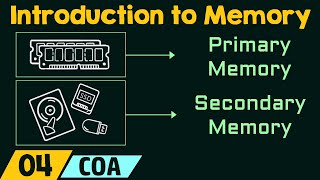
- Main Memory: This volatile RAM serves as the computer's workspace, housing active processes and data. Its speed is slower than cache memory but significantly faster than secondary storage, making it essential for smooth operations.
- Secondary Storage: Non-volatile memory (like HDDs, SSDs) retains data even without power. It has the largest capacity but the slowest access times in the hierarchy.
The memory design concepts are influenced by trade-offs between speed, size, cost per bit, and volatility. Different memory technologies aim to offset these trade-offs, establishing a robust and effective memory hierarchy that enhances computer performance.
Youtube Videos


Audio Book
Dive deep into the subject with an immersive audiobook experience.
Importance of Memory Organization
Chapter 1 of 7
🔒 Unlock Audio Chapter
Sign up and enroll to access the full audio experience
Chapter Content
A computer system's ability to process information at high speeds is inextricably linked to the efficiency and characteristics of its memory subsystem. The sheer volume of data and instructions required by modern applications necessitates a multi-layered approach to memory, leading to the concept of a memory hierarchy. Not all memory technologies are created equal; each serves a specific purpose based on a delicate balance of speed, capacity, and cost.
Detailed Explanation
Memory organization is crucial for a computer's performance. Modern applications demand processing large volumes of data, which requires a sophisticated memory setup known as the memory hierarchy. This hierarchy divides memory into different types that vary in speed, capacity, and cost, allowing the system to operate efficiently by accessing the fastest memory available before resorting to slower types.
Examples & Analogies
Think of a library where the fastest access to books is through a small reference section (like CPU registers), while the larger stacks of books represent main memory, and off-site archives represent secondary storage. Just as the library efficiently uses its closest resources to answer questions quickly, a computer organizes its memory to respond to data requests as fast as possible.
Understanding the Memory Hierarchy
Chapter 2 of 7
🔒 Unlock Audio Chapter
Sign up and enroll to access the full audio experience
Chapter Content
The memory hierarchy is a foundational architectural concept in computer design. It arranges different types of storage devices in a tiered structure, primarily based on their access speed, cost per bit, and overall storage capacity. The guiding principle behind this hierarchy is that the closer a memory level is located to the CPU, the faster its access time, the smaller its storage capacity, and consequently, the higher its cost per individual bit of stored data. Conversely, memory levels situated further away from the CPU are progressively slower, offer significantly larger capacities, and are considerably cheaper per bit.
Detailed Explanation
The memory hierarchy consists of multiple levels, including registers, cache, main memory (RAM), and secondary storage. Each level is designed to serve specific needs. Registers are the fastest and smallest, located directly on the CPU. Cache memory is faster than RAM and provides a quick buffer for frequently used data, while main memory has larger capacity but is slower, and finally, secondary storage is the cheapest and slowest, suitable for long-term data storage.
Examples & Analogies
Imagine a restaurant kitchen where chefs (CPU) need quick access to ingredients. The closest ingredients (registers) are on the countertop (CPU), the next layer of often-used items is a pantry (cache), the bulk of supplies is in a distant stockroom (main memory), and rare items are in a warehouse off-site (secondary storage). The closer the supplies are to the chefs, the faster they can cook!
Types of Memory in the Hierarchy
Chapter 3 of 7
🔒 Unlock Audio Chapter
Sign up and enroll to access the full audio experience
Chapter Content
- CPU Registers:
- Location and Proximity: CPU registers represent the absolute top and fastest tier of the memory hierarchy. They are integral components located directly within the Central Processing Unit (CPU) chip itself.
- Structural Detail: Registers are essentially small, high-speed storage locations implemented using Static Random Access Memory (SRAM) technology.
- Capacity and Access Time: They possess the smallest storage capacity in the entire hierarchy, typically ranging from a few dozen bits to a few hundred bits.
- Cost per Bit: Due to their specialized design, use of premium SRAM, and direct integration into the CPU silicon, registers have the highest cost per bit, vastly exceeding all other memory types.
Detailed Explanation
CPU registers are the fastest type of memory, essential for immediate data storage and retrieval within the CPU. They store variables and instructions currently in use, allowing the CPU to operate at optimum speed without waiting for slower memory access. They are very limited in size but play a critical role in executing instructions quickly.
Examples & Analogies
Consider a teacher's desk where important papers (registers) are right at hand, while less urgent files (cache) are in a nearby drawer (main memory), and old records (secondary storage) are stored in a distant filing cabinet. Having immediate access to essential papers allows the teacher (CPU) to work efficiently without rummaging through the larger storage.
Role of Cache Memory
Chapter 4 of 7
🔒 Unlock Audio Chapter
Sign up and enroll to access the full audio experience
Chapter Content
- Cache Memory (CPU Cache):
- Location and Levels: Cache memory is strategically positioned as a high-speed buffer between the CPU and main memory. Modern CPUs typically incorporate multiple levels of cache:
- Level 1 (L1) Cache: Smallest, fastest cache, usually split into L1 Instruction Cache (L1i) and L1 Data Cache (L1d).
- Level 2 (L2) Cache: Larger than L1, slightly slower.
- Level 3 (L3) Cache: Largest, slowest cache, typically shared by all cores on a multi-core CPU die.
Detailed Explanation
Cache memory acts as a high-speed intermediary, providing faster access to frequently used data and instructions by pre-loading them from the main memory. This significantly reduces the time the CPU has to wait to retrieve data, allowing for smoother operation and better performance overall.
Examples & Analogies
If the CPU is a chef, cache memory is akin to a sous-chef who prepares and lays out ingredients before cooking. By having the most-used items at hand, the chef can whip up dishes faster without constantly running back to the pantry or stockroom for supplies.
Main Memory (RAM) and Its Function
Chapter 5 of 7
🔒 Unlock Audio Chapter
Sign up and enroll to access the full audio experience
Chapter Content
- Main Memory (RAM - Random Access Memory):
- Location: Main memory typically resides on standardized modules (e.g., DIMMs) that plug into dedicated slots on the computer's motherboard.
- Structural Detail: The vast majority of main memory is implemented using Dynamic Random Access Memory (DRAM) technology.
- Capacity and Access Time: Capacity ranges from a few gigabytes to hundreds of gigabytes in typical systems.
Detailed Explanation
Main memory (RAM) is the primary storage used for holding operating systems, applications, and data that are in use. It allows for quick access and manipulation of information but is slower than cache memory. When a user opens a program, it is loaded from secondary storage directly into RAM for fast access by the CPU.
Examples & Analogies
Consider RAM as a desk used for current projects. A large desk (high capacity) allows multiple projects (applications) to be worked on simultaneously, but compared to a nearby file cabinet (secondary storage), retrieving items (data) that are not currently on the desk takes longer.
Secondary Storage
Chapter 6 of 7
🔒 Unlock Audio Chapter
Sign up and enroll to access the full audio experience
Chapter Content
- Secondary Storage (Mass Storage):
- Location: These are peripheral storage devices, typically connected to the motherboard via interfaces like SATA, NVMe, or USB. Examples include Hard Disk Drives (HDDs), Solid State Drives (SSDs), USB flash drives, optical discs, and network-attached storage (NAS).
- Structural Detail: Secondary storage employs a variety of non-volatile technologies.
Detailed Explanation
Secondary storage refers to large-capacity storage solutions, which retain data even when the power is turned off. It is not as fast as RAM or cache but is ideal for long-term data storage. This type of memory is where programs and files are stored when not in use.
Examples & Analogies
Imagine secondary storage as a filing cabinet or storage unit. It holds all important documents (data) securely for future access, even when you are not actively working on them in real time, unlike a desk that may only hold documents currently being handled.
Trade-offs in Memory Technology
Chapter 7 of 7
🔒 Unlock Audio Chapter
Sign up and enroll to access the full audio experience
Chapter Content
Trade-offs in Memory Design: Speed, Size, Cost per bit, Volatility
Detailed Explanation
In memory design, engineers face several trade-offs. Speed relates to how quickly data can be accessed, which often increases the cost per bit. Size refers to the storage capacity, with larger sizes typically leading to slower speeds. Cost per bit is often a deciding factor when choosing types of memory, as faster memory usually comes at a higher price. Lastly, volatility determines whether memory retains data when power is off, affecting the design and use of various memory solutions.
Examples & Analogies
Think about buying a storage space for your personal items. You could have a small, premium space that is directly inside your house (fast speed, high cost), a larger garage that can hold many items but is not as easily accessible (slower, cheaper), or a large storage facility that is far away (very cheap but slow access). Each choice has its advantages and disadvantages based on your needs and budget.
Key Concepts
-
Memory Hierarchy: The structured organization of memory types based on their speed, cost, and capacity.
-
Registers: Fastest memory within the CPU for immediate processing of data and instructions.
-
Cache Memory: A high-speed buffer intended to speed up data access between the CPU and main memory.
-
Main Memory: The volatile memory that holds active data and processes.
-
Secondary Storage: Non-volatile memory responsible for long-term storage of data.
Examples & Applications
The CPU registers may hold the current instruction being executed during a computation task.
Cache memory optimizes program execution by storing frequently accessed variables, like loop counters, minimizing delays.
When a user saves a document, it is stored on secondary storage like an SSD or HDD, providing persistence even after power loss.
Memory Aids
Interactive tools to help you remember key concepts
Rhymes
Registers are quick, the speed you’ll see, / Cache speeds you up, it’s where data will be, / Main memory’s there when you run things afloat, / Secondary holds what you’ll keep in a coat.
Stories
Imagine a library (CPU) where the librarian (CPU registers) keeps the important books (data) at the front desk for immediate access. Behind the desk, there are shelves (cache memory) filled with frequently used books. The main library room (main memory) contains all the books that anyone could need, while the storage room (secondary storage) is filled with archived books and resources to pull from when needed.
Memory Tools
Think of the acronym 'R-C-M-S' where R = Registers, C = Cache Memory, M = Main Memory, S = Secondary Storage for remembering the memory hierarchy.
Acronyms
REMBS
= Registers
= Efficiency (speed)
= Main Memory
= Buffer (cache memory)
= Storage (secondary memory). This helps to visualize roles in a hierarchy.
Flash Cards
Glossary
- Registers
The smallest and fastest memory units within the CPU, used to hold data and instructions currently being processed.
- Cache Memory
A high-speed storage area located within or near the CPU to reduce the time to access frequently used data.
- Main Memory (RAM)
The primary volatile memory used for active processes and data in a computer system.
- Secondary Storage
Non-volatile memory used for long-term data retention, such as hard drives and SSDs.
- Volatile Memory
Memory that loses data when power is turned off; examples include RAM.
- NonVolatile Memory
Memory that retains data even when power is off; includes flash memory, HDDs, and CDs.
Reference links
Supplementary resources to enhance your learning experience.