
Relational Algebra Introduction (Brief Overview of Operations)
Interactive Audio Lesson
Listen to a student-teacher conversation explaining the topic in a relatable way.
Introduction to Relational Algebra
🔒 Unlock Audio Lesson
Sign up and enroll to listen to this audio lesson

Today, we'll delve into Relational Algebra, which is crucial for interacting with databases. Can someone summarize what a relational database is?

It's a structured way to store and retrieve data in tables.
Exactly! And Relational Algebra provides a formal way to describe how we can manipulate that data. What do you think 'procedural language' means in this context?

It means we need to specify the steps to complete a task.
Correct! You tell it how to get the data step-by-step. This is essential because SQL, the language most of us use to retrieve and manipulate data, is built on the principles of Relational Algebra.

How do we actually perform operations in Relational Algebra?
Great question! We'll explore that. Let's start with the basic operations.
Can anyone tell me what operations we might perform?

Maybe combining data from different tables?
Yes! That's a big part of it. We have operations like Union, Intersection, and more. Let’s examine these set operations closely.
Set Operations
🔒 Unlock Audio Lesson
Sign up and enroll to listen to this audio lesson

We’ll begin with set operations. Can anyone explain what Union does?
It combines unique rows from two tables.
Right! It's like merging two lists but with no duplicates. Now, what about Intersection?
It gives us the rows that exist in both tables.
Exactly! What might the Difference do?
It finds rows in one table that are not in the other.
You’re all catching on. Lastly, the Cartesian Product can combine tables but is usually avoided due to size. Why do you think that is?
It creates a lot of unnecessary data combinations!
Exactly! Understanding these operations helps us manipulate data effectively. Can anyone summarize these operations before we move to relational operations?
Union combines; Intersection finds common; and Difference identifies unique rows. Cartesian Product multiplies rows.
Perfect summary!
Relational Operations
🔒 Unlock Audio Lesson
Sign up and enroll to listen to this audio lesson
Next, let's look at relational operations. What does Select do?
It filters rows based on certain conditions!
Great! And how does Project work?
It filters columns from the table.
Exactly! These two operations allow us to refine our data. If I have a table of employees, how would I find only those with salaries above a specific amount using Select?
You would write a condition to filter them!
Perfect! And how about using Project to view only names and departments?
You’d select just those columns!
Exactly! Summarizing these operations will help in practical applications like SQL queries.
Joins and Renaming
🔒 Unlock Audio Lesson
Sign up and enroll to listen to this audio lesson
Now, let’s explore the Join operation. Why do you think it's important when working with multiple tables?
It helps connect related data from those tables.
Exactly. Joins are essential for integrating data. Can anyone explain how a natural join works?
It automatically combines rows with equal attributes?
Correct! And what about when we need to give a clearer name to a result with Rename?
It allows us to adjust names for better clarity during queries.
Absolutely! Those two operations are powerful in managing our data efficiently. Can anyone summarize how Joining and Renaming enhances our query structure?
Joining connects related data while Renaming clarifies our output.
Well done! Understanding these two operations is essential for optimizing database interactions.
Closure Property in Relational Algebra
🔒 Unlock Audio Lesson
Sign up and enroll to listen to this audio lesson
Let's conclude with the closure property in Relational Algebra. What does closure mean?
It means that operations produce results that can be further used as input for additional operations?
Exactly! Closure allows chaining of operations. Can anyone provide an example of how we can apply this property?
If I select students from a table and then project their names, I can keep filtering from there!
Great example! This chaining ability is essential for building complex queries. Can anyone summarize why Relational Algebra is foundational for SQL?
Because SQL queries essentially use these operations to fetch and manipulate data!
Exactly! Understanding Relational Algebra gives you a strong base for mastering databases. Excellent job today, everyone!
Introduction & Overview
Read summaries of the section's main ideas at different levels of detail.
Quick Overview
Standard
This section introduces Relational Algebra, emphasizing its role as a procedural language for retrieving data from relational databases. It highlights various operations such as set operations, relational operations, and joins, explaining how these concepts are essential for effective querying within databases.
Detailed
Detailed Summary of Relational Algebra Operations
Relational Algebra serves as a formal framework for manipulating and retrieving data from relational databases. It functions as a procedural language where users specify step-by-step how to perform operations to obtain desired results. Understanding Relational Algebra is crucial because it forms the theoretical basis for practical database languages like SQL.
Key Features of Relational Algebra:
- Input-Output Structure: Every operation in Relational Algebra accepts one or two tables (relations) as input and produces a new table as output, ensuring that operations adhere to the principle of closure.
Basic Operations:
- Set Operations (Applicable only if tables are union compatible):
- Union (∪): Combines unique rows from two tables.
- Intersection (∩): Retrieves rows present in both tables.
- Difference (-): Identifies rows in one table not found in the other.
- Cartesian Product (×): Combines every row of one table with every row of another, often leading to large, complex tables.
- Relational Operations (Specific to the Relational Model):
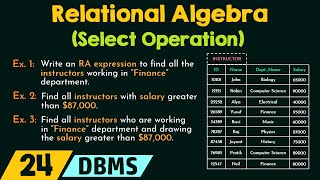
- Select (σ): Filters rows based on specific conditions (horizontal subsetting).
- Project (π): Filters columns from a table (vertical subsetting).
- Join (⋈): Combines rows from two tables based on a join condition, allowing for data from connected tables to be brought together seamlessly.
- Rename (ρ): Enables altering the name of a table or its attributes for clarity and usability in queries.
Importance of These Operations:
These operations provide the essential building blocks that allow complex queries and data manipulation in relational databases. They enable users to extract meaningful insights and relationships from structured data effectively.
Youtube Videos


Audio Book
Dive deep into the subject with an immersive audiobook experience.
Overview of Relational Algebra
Chapter 1 of 8
🔒 Unlock Audio Chapter
Sign up and enroll to access the full audio experience
Chapter Content
Relational Algebra is a powerful, formal language that allows us to describe how to get specific information from a relational database. Think of it as a set of mathematical operations that you can perform on tables (relations) to produce new tables as results. It's a procedural language, meaning you tell it step-by-step how to do something.
Detailed Explanation
Relational Algebra is a formal language used to manage and manipulate relational databases. It consists of various mathematical operations that act on tables, which are also known as relations. This procedural aspect means that when you use relational algebra, you explicitly outline the steps needed to retrieve or manipulate data, similar to how you would follow a recipe in cooking. You define what operations to perform and in what sequence.
Examples & Analogies
Think of Relational Algebra as a series of steps to assemble a piece of furniture. If you want to build a chair, the instructions will guide you through each step: first, gather your materials (tables), then connect the legs (join tables), followed by attaching the seat (select). Just as each step must be followed to successfully build the chair, every operation in Relational Algebra must be followed in order to retrieve the desired information from a database.
Importance of Relational Algebra
Chapter 2 of 8
🔒 Unlock Audio Chapter
Sign up and enroll to access the full audio experience
Chapter Content
Relational Algebra is super important because it's the theoretical backbone for practical database languages like SQL. When you write a SQL query, the database system's 'query optimizer' often translates your SQL into a sequence of relational algebra operations to figure out the most efficient way to get your results.
Detailed Explanation
Understanding Relational Algebra is essential because it lays the groundwork for more commonly used languages such as SQL. When you create a SQL query, the database management system interprets it using the concepts and operations of Relational Algebra. The 'query optimizer' analyzes your request and converts it into relational algebra operations to find the quickest way to return results. This means a solid grasp of Relational Algebra can help you write more efficient queries.
Examples & Analogies
Consider how a GPS system navigates. When you input a destination, it doesn't just show you a map; it calculates the best route considering various factors. Similarly, when you submit a SQL query, the database uses Relational Algebra concepts to determine the most efficient 'route' to your data, ensuring you receive the results as quickly as possible.
Closure Property
Chapter 3 of 8
🔒 Unlock Audio Chapter
Sign up and enroll to access the full audio experience
Chapter Content
Every operation in relational algebra takes one or two tables (relations) as input and always produces a single new table (relation) as output. This 'input-output-is-a-table' property is called closure, and it means you can chain operations together to build very complex queries.
Detailed Explanation
The closure property of Relational Algebra indicates that the outcome of any given operation will always be another relation, or table. This means that after performing an operation, you can use the resulting table as input for another operation. This ability to chain operations together allows users to construct complex queries by combining simple operations to achieve advanced data retrieval tasks.
Examples & Analogies
Imagine a conveyor belt in a factory. You place raw materials (input tables) on the belt, and as it moves through different processing stations (operations), the materials are transformed at each step. By the time they exit the conveyor, you've created a finished product (output table). Similarly, in Relational Algebra, each operation transforms the data step-by-step, allowing complex transformations to be built from simpler ones.
Set Operations in Relational Algebra
Chapter 4 of 8
🔒 Unlock Audio Chapter
Sign up and enroll to access the full audio experience
Chapter Content
Set Operations (Work only if tables are 'Union Compatible'): For these operations to work, the two input tables must be union compatible. This means they must have:
* The same number of columns (attributes).
* Corresponding columns must have compatible data types (e.g., StudentID in both tables should be numbers, StudentName in both should be text).
Detailed Explanation
Set operations in relational algebra (such as union, intersection, and difference) require input tables to be union compatible. This compatibility means that the tables not only need to have the same number of columns, but the data types of corresponding columns must also match. This requirement ensures that the operations can logically and correctly combine or compare the data from the tables involved.
Examples & Analogies
Think of these operations like combining two different puzzle pieces. To fit together, they have to be from the same puzzle set (same number of pieces and compatible shapes). If you try to combine pieces from two different puzzles with mismatched edges, they won't fit together, just like how unmatched data types in relational algebra operations will not work.
Basic Set Operations
Chapter 5 of 8
🔒 Unlock Audio Chapter
Sign up and enroll to access the full audio experience
Chapter Content
- Union (∪):
R ∪ S - What it does: Combines all the unique rows from two compatible tables,
RandS, into a single new table. If a row appears in bothRandS, it will only appear once in the result (because relations are sets and don't allow duplicates). - Analogy: Imagine you have two lists of unique items. Union is like merging them into one big list, removing any duplicate items.
- Example:
(StudentsInCourseA) ∪ (StudentsInCourseB)would give you a list of all unique students enrolled in either Course A or Course B (or both).
Detailed Explanation
The Union operation combines two tables by taking all unique rows from both tables and creating a new table that includes only those distinct entries. Since relational tables act like sets, any duplicates found in both tables will be removed in the final result.
Examples & Analogies
Imagine combining two unique collections of baseball cards from two friends; if both friends have a card of the same player, you only keep one in your new collection. This collection represents the union of the two original sets, similar to how the Union operation combines two tables in relational algebra without duplicating rows.
Further Set Operations: Intersection and Difference
Chapter 6 of 8
🔒 Unlock Audio Chapter
Sign up and enroll to access the full audio experience
Chapter Content
- Intersection (∩):
R ∩ S - What it does: Produces a new table containing only the rows that are present in both input tables,
RandS. - Analogy: Finding items that are common to both lists.
-
Example:
(StudentsInCourseA) ∩ (StudentsInCourseB)would give you a list of students who are enrolled in both Course A and Course B. -
Difference (-):
R - S - What it does: Produces a new table containing only the rows that are present in table
Rbut are not present in tableS. (Note:S - Rwould give a different result). - Analogy: Finding items that are in the first list but not in the second.
- Example:
(AllStudents) - (GraduatedStudents)would give you a list of students who are currently enrolled (not graduated).
Detailed Explanation
The Intersection operation generates a new table composed of rows that appear in both input tables, essentially filtering to find commonalities. The Difference operation, on the other hand, captures the rows in the first table that do not appear in the second table, acting as a method to exclude certain data.
Examples & Analogies
Consider two groups of friends planning a party: one group has a list of attendees, and the other has a list of people invited to a different event. The intersection represents those friends that are invited to both events (who might be very popular), while the difference shows friends who can attend the first party but are not invited to the second.
Cartesian Product and Its Importance
Chapter 7 of 8
🔒 Unlock Audio Chapter
Sign up and enroll to access the full audio experience
Chapter Content
- Cartesian Product (×) / Cross Product:
R × S - What it does: Creates a new table by combining every single row from table
Rwith every single row from tableS. - The resulting table will have:
- Number of columns = (Number of columns in
R) + (Number of columns inS) - Number of rows = (Number of rows in
R) × (Number of rows inS) - Analogy: If you have 3 shirts and 4 pairs of pants, the Cartesian product gives you all 12 possible outfit combinations.
- Important: This operation can produce extremely large tables. It's rarely used directly in practical queries because it often creates meaningless combinations. However, it's the fundamental building block for the
JOINoperation (explained below).
Detailed Explanation
The Cartesian Product combines all rows from one table with all rows from another, leading to a new table where each combination is represented. This results in a multiplication of the number of rows from both tables, forming a significantly larger dataset. Although it can lead to large and unwieldy outputs, this operation is important because it lays the groundwork for joins, where meaningful relationships between tables are established.
Examples & Analogies
If you have 3 different types of fruits (apples, bananas, and oranges) and you want to see how they can be prepared with 4 different dipping sauces, the Cartesian Product helps you visualize all possible combinations, even if some combinations (like dipping an apple in mayonnaise) might not be desirable.
Relational Operations: Select, Project, Join
Chapter 8 of 8
🔒 Unlock Audio Chapter
Sign up and enroll to access the full audio experience
Chapter Content
- Select (σ - Sigma):
σ<condition>(R) - What it does: This operation filters the rows of a table. It picks out only those rows from table
Rthat satisfy a specified condition. - The condition is a logical expression (like those you use in
ifstatements) involving attributes from the table and comparison operators (e.g.,=,!=,>,<,>=,<=). - Example:
σSalary > 50000 AND Department = 'Sales'(EMPLOYEE) -
This reads: "Select all rows from the
EMPLOYEEtable where theSalaryis greater than 50000 AND theDepartmentis 'Sales'." -
Project (π - Pi):
π<attribute list>(R) - What it does: This operation filters the columns of a table. It creates a new table containing only the specific columns you list from table
R. - If, after selecting the columns, any duplicate rows are created in the result, they are automatically removed because the result must also be a relation (and relations don't allow duplicate rows).
- Example:
πEmpName, Salary(EMPLOYEE) -
This reads: "From the
EMPLOYEEtable, project (select) only theEmpNameandSalarycolumns." -
Join (⋈):
R ⋈<condition> S(or sometimes justR ⋈ Sfor natural join) - What it does: This is one of the most crucial operations. It combines rows from two tables (
RandS) into a single new table based on a specified join condition.
Detailed Explanation
The Select operation allows filtering of rows by applying criteria, returning only those rows that meet the specified condition. The Project operation serves a different purpose, focusing on obtaining specific columns from a table, filtering the data horizontally. The Join operation is critical for connecting two tables based on a common attribute, creating a new table that consolidates related data.
Examples & Analogies
Think of Select like a filter for a coffee machine, only allowing the perfect brew to flow through. Project is akin to focusing solely on your favorite ingredients, excluding everything else in a recipe. Finally, Join is similar to creating a full dinner plate by strategically placing a protein, vegetable, and starch together, representing how different tables can come together in a cohesive manner.
Key Concepts
-
Relational Algebra: A framework for data manipulation in relational databases.
-
Closure Property: The output of operations remains within the relational framework.
-
Set Operations: Ways to combine and compare data from tables.
-
Relational Operations: Specific actions that can be performed on tables.
Examples & Applications
Union: Combining lists of students from Course A and Course B into one unique list.
Intersection: Identifying students enrolled in both Course A and Course B.
Difference: Finding currently enrolled students who have not yet graduated.
Select: Filtering employees with salaries above $50,000 from the employee table.
Project: Viewing only employee names and departments without any other information.
Memory Aids
Interactive tools to help you remember key concepts
Rhymes
Union’s fun, join rows one by one; select what you need, and soon you’ll succeed.
Stories
Imagine a chef combining two recipe books: one for desserts and one for main dishes. The Union creates a new book with just the unique recipes, while the Intersection finds recipes shared between both books.
Memory Tools
To remember the set operations: 'U I D C' - Union, Intersection, Difference, Cartesian Product.
Acronyms
CRUD= Create, Read, Update, Delete - a handy way to remember database actions related to relational operations.
Flash Cards
Glossary
- Relational Algebra
A formal language for describing operations on tables in relational databases.
- Union
An operation that combines unique rows from two tables.
- Intersection
An operation producing rows common to both input tables.
- Difference
An operation identifying rows in one table that are not in another.
- Cartesian Product
An operation that combines every row of one table with every row of another.
- Select
An operation that filters rows based on specified conditions.
- Project
An operation that filters columns from a table.
- Join
An operation that combines rows from two tables based on a join condition.
- Rename
An operation that allows changing the name of a table or its attributes.
Reference links
Supplementary resources to enhance your learning experience.