
Block Diagram of a Basic DSP Communication System
Interactive Audio Lesson
Listen to a student-teacher conversation explaining the topic in a relatable way.
Understanding the Block Diagram Components
🔒 Unlock Audio Lesson
Sign up and enroll to listen to this audio lesson

Today we're focusing on the block diagram of a basic DSP communication system. Let's start by discussing the **Analog Input**. Can anyone explain what this is?

Isn't it the real-world signal like sound or light that we want to process?
Exactly! The analog input is indeed a representation of real-world data. Next, what happens to this signal?

It goes to the sensor?
Correct! The sensor captures the signal and prepares it for conversion. Can anyone tell me about the next step after the sensor?

The analog to digital converter, or ADC, right?
Right! The ADC converts the analog signal into a digital format, which allows it to be processed by digital systems. This brings us to the digital processor. What functions do you think this processor performs?

It might carry out filtering and modulation!
Exactly! It manipulates the digital signal for clarity and efficiency. Finally, what happens to the signal before it is outputted?
It gets converted back to analog by the DAC.
Great job! This entire flow illustrates how we transition from analog to digital and back again in a DSP communication system. Remember, this diagram shows how we can effectively manage signals for various applications.
Importance of Each Component
🔒 Unlock Audio Lesson
Sign up and enroll to listen to this audio lesson

Let's dive deeper into why each component is necessary. Starting with the **Sensor**, why do you think it's crucial?
It translates physical phenomena into a signal we can use?
Exactly! Without the sensor, we wouldn’t have the initial data to work from. Now, moving on to the ADC. What role does it play?
It converts the analog signal so that the digital processor can understand it!
Correct! This conversion is vital as all digital processing occurs in the digital format. Can someone explain the importance of the Digital Processor?
It helps enhance and modify the digital signals, right?
Absolutely! It's where most of the signal modifications occur to make them suitable for transmission. Now, why is the DAC necessary?
To convert the digital signals back to analog so we can hear or see them?
Exactly right! Without the DAC, we wouldn’t be able to interact with the processed signals through our output devices. This illustrates the importance of the entire diagram!
Application of the DSP Communication System
🔒 Unlock Audio Lesson
Sign up and enroll to listen to this audio lesson
Now that we've discussed the components, let's think about where we see this DSP communication system in real life. Any examples?
Mobile phones! They use DSP for calls and messages.
Great example! Mobile phones rely heavily on this conversion process. What about other devices?
How about sound systems? They also process audio signals!
Exactly! Sound systems implement DSP to enhance audio quality. Any other applications?
Television broadcasts use this too, right?
Correct! All digital communication devices from televisions to satellite systems utilize these principles to function properly. This underscores how vital DSP communication systems are in modern technology!
Introduction & Overview
Read summaries of the section's main ideas at different levels of detail.
Quick Overview
Standard
The block diagram of a basic DSP communication system outlines the process of converting real-world analog signals into digital signals and back into analog signals through various components including sensors, ADCs, digital processors, and DACs.
Detailed
Block Diagram of a Basic DSP Communication System
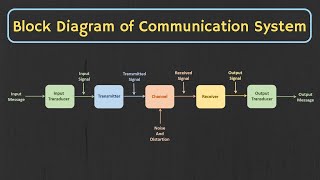
This section explains the components of a DSP communication system, illustrated through a block diagram. The flow begins with an Analog Input, which is captured by a Sensor. This analog signal is then converted into a digital format using an Analog to Digital Converter (ADC). Once in the digital domain, a Digital Processor manipulates the signal, which can involve filtering, modulation, or encoding. Finally, the signal is converted back to an analog format using a Digital to Analog Converter (DAC) and is then outputted to an Output Device. The importance of this flow lies in its ability to efficiently handle signals for various applications, thus facilitating communication in modern technologies.
Youtube Videos
Audio Book
Dive deep into the subject with an immersive audiobook experience.
Overview of the Block Diagram
Chapter 1 of 7
🔒 Unlock Audio Chapter
Sign up and enroll to access the full audio experience
Chapter Content
[Analog Input] → [Sensor] → [ADC] → [Digital Processor] → [DAC] → [Output Device]
Detailed Explanation
This block diagram illustrates the flow of signals in a typical Digital Signal Processing (DSP) communication system. It starts with an Analog Input, which can be a sound wave, light wave, or any other kind of physical signal from the external environment. The signal is then processed through various components sequentially to convert it to the digital domain and finally back to the analog form for output.
Examples & Analogies
Think of the block diagram like a factory assembly line where raw materials come in (analog input), are transformed through various stages (sensor, ADC, digital processor, DAC), and finally come out as a finished product (output device). Just like how a factory might process and transform raw materials to create a toy, a DSP system transforms real-world signals into a format that can be processed and understood by digital systems.
Step 1: Analog Input
Chapter 2 of 7
🔒 Unlock Audio Chapter
Sign up and enroll to access the full audio experience
Chapter Content
[Analog Input]
Detailed Explanation
The process begins with an Analog Input, which represents actual signals that exist in the real world. These signals can be sound, temperature, light, etc. Analog signals have continuous values that change smoothly over time, making them suitable for representing complex phenomena.
Examples & Analogies
Imagine you are listening to music. The sound waves produced by an instrument or voice are analog signals that can vary continuously as the notes change. This continuous change is what you hear as music.
Step 2: Sensor
Chapter 3 of 7
🔒 Unlock Audio Chapter
Sign up and enroll to access the full audio experience
Chapter Content
[Sensor]
Detailed Explanation
The sensor's role is to detect the analog input and convert it into a form that can be processed by the DSP system. Sensors can convert physical phenomena into electrical signals that represent the changes in the environment.
Examples & Analogies
Think of a temperature sensor in a thermometer. It detects the temperature (an analog signal) and translates it into an electrical signal that can be measured and monitored digitally.
Step 3: ADC (Analog to Digital Converter)
Chapter 4 of 7
🔒 Unlock Audio Chapter
Sign up and enroll to access the full audio experience
Chapter Content
[ADC]
Detailed Explanation
Once the analog signal is detected by the sensor, the next stage is the Analog to Digital Converter (ADC). The ADC samples the continuous analog signal at regular intervals, converting these samples into discrete digital values that can be processed by digital systems.
Examples & Analogies
Imagine taking snapshots of a moving object at different times. Each snapshot captures the position of the object at a specific moment — this is similar to how an ADC takes samples of an analog signal at intervals to create a digital representation.
Step 4: Digital Processor
Chapter 5 of 7
🔒 Unlock Audio Chapter
Sign up and enroll to access the full audio experience
Chapter Content
[Digital Processor]
Detailed Explanation
The Digital Processor is where the real processing happens. It performs various operations on the digital data received from the ADC, such as filtering, modulation, and encoding, to manipulate the signal for its intended application.
Examples & Analogies
Think of a chef in a kitchen mixing and preparing different ingredients (the digital data) to create a dish (the desired output). The chef (digital processor) processes the ingredients according to a recipe (algorithm) to achieve a final product.
Step 5: DAC (Digital to Analog Converter)
Chapter 6 of 7
🔒 Unlock Audio Chapter
Sign up and enroll to access the full audio experience
Chapter Content
[DAC]
Detailed Explanation
After processing, the digital signal must be converted back into its analog form for the end user to perceive. The Digital to Analog Converter (DAC) serves this purpose by translating the digital data back into a continuous signal that can be understood by humans or machines in the analog form.
Examples & Analogies
Consider a musician playing an instrument; once digital music is created, the DAC acts like the musician who brings the music to life by playing it out loud for the audience to hear.
Step 6: Output Device
Chapter 7 of 7
🔒 Unlock Audio Chapter
Sign up and enroll to access the full audio experience
Chapter Content
[Output Device]
Detailed Explanation
Finally, once the signal has returned to its analog form through the DAC, it needs to be delivered to the user. The Output Device can be speakers, screens, or any device that allows the analog signal to be perceived.
Examples & Analogies
Imagine a final concert where the music created by a band (the final analog signal) is played through speakers (the output device) for an audience to enjoy, illustrating how all previous steps come together for the final presentation.
Key Concepts
-
Analog Input: The initial signal captured from the real world.
-
Sensor: A device that detects physical phenomena and converts them into a signal.
-
ADC: Converts analog signals to digital format.
-
Digital Processor: Processes digital signals to extract, enhance, or modify information.
-
DAC: Converts digital signals back to analog format for output.
Examples & Applications
A smartphone utilizes DSP to process voice signals for clearer communication.
Digital cameras convert the light into digital signals for photo processing.
Memory Aids
Interactive tools to help you remember key concepts
Rhymes
From analog to digital, a converter's in play, With sound and signals, it’s the digital way.
Stories
Imagine a musician recording a song: First, the sound waves are captured by a microphone (the sensor). Then they are transformed into digital data using an ADC. The musician edits the song on their computer (the digital processor) before finally sending it to your speakers via a DAC to be heard as music again.
Memory Tools
A simple way to remember: 'SAD-P' for Sensor, ADC, Digital Processor, DAC, and Output. Just think of how sad you'd be without music!
Acronyms
A simple acronym is 'SAD' standing for Sensor, ADC, and DAC which helps remember the flow of signals.
Flash Cards
Glossary
- Analog Input
The initial real-world signal captured for processing.
- Sensor
A device that detects and measures physical properties and converts them into signals.
- ADC (Analog to Digital Converter)
A device that converts an analog signal into a digital format.
- Digital Processor
A component that processes digital signals to extract or enhance information.
- DAC (Digital to Analog Converter)
A device that converts digital signals back into an analog format.
- Output Device
A device that receives the processed signal and presents it in a human-readable form.
Reference links
Supplementary resources to enhance your learning experience.