
CHECK Constraint
Interactive Audio Lesson
Listen to a student-teacher conversation explaining the topic in a relatable way.
Introduction to CHECK Constraints
🔒 Unlock Audio Lesson
Sign up and enroll to listen to this audio lesson

Today, we are going to learn about CHECK constraints. Can anyone tell me what they think a constraint in SQL might be?

Is it something that limits what data you can enter into a table?
Exactly! Constraints are rules that help us maintain data integrity. Now, the CHECK constraint specifically enforces rules on the values in columns. Can someone give me an example?

Maybe we could ensure that an age column only has values greater than 18?
Great example! That’s a perfect use of a CHECK constraint. So, if we say `CHECK (Age >= 18)`, any record where age is lower than 18 won’t be accepted. Now, why do you think this is important?

It helps ensure the data is valid and meets the organization’s requirements!
Exactly! Let's summarize. CHECK constraints help uphold our data quality by ensuring that the values in our tables conform to specific requirements.
Defining CHECK Constraints
🔒 Unlock Audio Lesson
Sign up and enroll to listen to this audio lesson

Now that we understand CHECK constraints, let’s explore how to define them. You can specify a CHECK constraint inline while creating a table. Here’s a syntax example: `column_name data_type CHECK (condition)`.

Can we also have multiple CHECK constraints in one table?
Absolutely! You can define as many as you need, but keep in mind it can make your SQL statements longer. How about checking for both age and salary in an employee table?
That would be like `CHECK (Age >= 18 AND Salary > 0)`?
Exactly right! This ensures two conditions are met when an employee’s data is entered. What happens if someone violates these rules when they try to insert or update the data?
The database should reject the entry! That way, we maintain clean data.
Well summarized! Always remember that CHECK constraints are a great tool for maintaining accurate data.
Examples of CHECK Constraints
🔒 Unlock Audio Lesson
Sign up and enroll to listen to this audio lesson
Let’s look at some practical examples of CHECK constraints. If we have a table for courses, what kind of CHECK constraints could we have?
Maybe we could ensure the course duration is a positive number?
Correct! We can do that with `CHECK (Duration > 0)`. What if we wanted to ensure the tuition fee is not negative?
We could add `CHECK (TuitionFee >= 0)` to prevent anyone from entering negative tuition.
Right again! By implementing these CHECK constraints, we are preventing invalid data from the outset, which is very important for accurate reporting and analysis. Remember, data integrity matters!
Introduction & Overview
Read summaries of the section's main ideas at different levels of detail.
Quick Overview
Standard
The CHECK constraint enforces a condition on a single column or multiple columns in a table, preventing invalid data from being entered. This ensures that all data adheres to specified business rules. Examples include validating age restrictions, financial limits, or specific formats.
Detailed
Detailed Overview of the CHECK Constraint
The CHECK constraint is a critical part of SQL's data integrity mechanisms. It allows designers to enforce specific conditions on the values that can be entered into a table's columns. By setting these constraints, you ensure that your database remains consistent and that the data adheres to business rules.
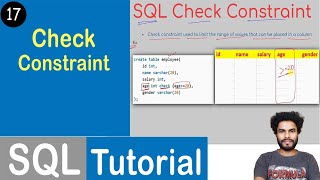
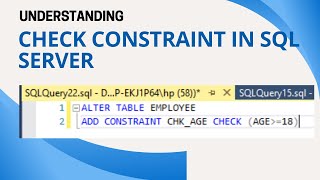
For instance, if you have a table for employee records, you might want to ensure that the age of an employee must be greater than 18. You would define a CHECK constraint like this:
This means that any attempt to insert or update a record that does not meet this condition will be rejected by the database management system.
CHECK constraints can be defined inline, right after the column data type, or out-of-line after all column definitions for complex conditions or constraints involving multiple columns. This makes it versatile and helps maintain the integrity of the data in the database, preventing erroneous data entries and ensuring that users input only valid information into your tables.
Youtube Videos







Audio Book
Dive deep into the subject with an immersive audiobook experience.
Purpose of CHECK Constraint
Chapter 1 of 4
🔒 Unlock Audio Chapter
Sign up and enroll to access the full audio experience
Chapter Content
The CHECK Constraint:
- Purpose: Enforces a specific condition on the values in a column or set of columns. If a value violates the condition, the insertion or update operation is rejected.
Detailed Explanation
The CHECK constraint is a rule that you can impose on a table column to ensure that any data entered must meet certain criteria. For example, if you have a column for age, you might want to ensure that no one under the age of 18 can be entered. If someone tries to enter an invalid age (like 15), the database will reject that entry because it does not meet the rule you've established.
Examples & Analogies
Imagine a school where students must be at least 5 years old to enroll. The enrollment system acts like the CHECK constraint; it will not allow anyone younger than 5 to be registered. If a parent tries to enroll a 4-year-old child, the system will say 'No, this child does not qualify for enrollment.'
Syntax of CHECK Constraint
Chapter 2 of 4
🔒 Unlock Audio Chapter
Sign up and enroll to access the full audio experience
Chapter Content
Syntax (Inline):
column_name data_type CHECK (condition)
Example:
Age INTEGER CHECK (Age >= 18 AND Age <= 100)
Detailed Explanation
When specifying a CHECK constraint, you define it inline with a column definition. The syntax shows the data type followed by the CHECK keyword, which includes the condition the data must satisfy. In this example, the column 'Age' must be between 18 and 100, inclusive. If an attempt is made to insert an age outside this range, that insertion will be rejected.
Examples & Analogies
Think of it like setting a speed limit sign. Just as a speed limit tells drivers the maximum speed they can go, a CHECK constraint sets limits on the data that can be entered into a specific field. If a driver tries to exceed the speed limit, they may get stopped by the police, just like an attempt to exceed the CHECK constraints can lead to an error message from the database.
Using CHECK Constraint in Tables
Chapter 3 of 4
🔒 Unlock Audio Chapter
Sign up and enroll to access the full audio experience
Chapter Content
Syntax (Out-of-line - For complex conditions or multiple columns):
CHECK (condition)
Example:
CHECK (Salary > 0)
CHECK (StartDate < EndDate)
Detailed Explanation
You can also define CHECK constraints separately from the column definitions, especially when the condition is complex or relates to multiple columns. This allows for better organization and clarity. Each CHECK constraint can be listed one after another. In the examples, you can see a constraint enforcing that 'Salary' must be greater than 0, and another checking that 'StartDate' comes before 'EndDate'.
Examples & Analogies
Consider a manager who has certain rules for project submissions. If a team submits a project, the manager ensures that the project report must be submitted before the presentation. The manager is like a database enforcing constraints. If the report is submitted after the presentation, it would be rejected, just as a database would reject data that doesn't meet its CHECK constraints.
CHECK Constraint Example from Students Table
Chapter 4 of 4
🔒 Unlock Audio Chapter
Sign up and enroll to access the full audio experience
Chapter Content
Example from Students table:
CHECK (DateOfBirth < '2007-01-01')
Detailed Explanation
This specific example from the Students table enforces a rule that the 'DateOfBirth' of any student must be earlier than January 1, 2007. This is likely set to ensure that all students are at least 18 years old by a certain date. If a new student records an entry with a 'DateOfBirth' that doesn't comply with this rule, the database will prevent that record from being added.
Examples & Analogies
Think of a movie theater that has an age restriction for certain films. If a child tries to buy a ticket without meeting the age requirement, the ticket system will block the sale. This is similar to how the CHECK constraint prevents invalid entries, ensuring that only eligible students (in this case, those older than 18) can be registered.
Key Concepts
-
CHECK Constraint: A rule enforced on a column to ensure the values meet specified conditions.
-
Data Integrity: The need for accurate and consistent data in databases.
-
Conditional Rules: Specific conditions that values must satisfy, such as age limits or quantity restrictions.
Examples & Applications
Example 1: Creating a table with a CHECK constraint to enforce a minimum age: CREATE TABLE Users (ID INT, Age INT CHECK (Age >= 18));
Example 2: Adding a CHECK constraint for salary: ALTER TABLE Employees ADD CONSTRAINT chk_salary CHECK (Salary > 0);
Memory Aids
Interactive tools to help you remember key concepts
Rhymes
Check your data before it flows, or else invalid it goes!
Stories
Imagine a gatekeeper (the CHECK constraint) that only allows certain types of visitors (valid data) to a castle (database). Each visitor must meet specific dress codes (conditions).
Memory Tools
Remember C.H.E.C.K: Condition Holds Every Entry Correctly.
Acronyms
C.H.E.C.K - Conditions Help Ensure Correct Knowledge.
Flash Cards
Glossary
- CHECK Constraint
A rule enforced on a column or columns that ensures the values satisfy a specified condition.
- Data Integrity
The accuracy and consistency of data stored in a database.
- Conditional Rule
A specific requirement that must be met for data to be considered valid during data entry.
Reference links
Supplementary resources to enhance your learning experience.