
Data Manipulation Language (DML)
Interactive Audio Lesson
Listen to a student-teacher conversation explaining the topic in a relatable way.
Introduction to DML and INSERT Statements
🔒 Unlock Audio Lesson
Sign up and enroll to listen to this audio lesson

Today, we're diving into Data Manipulation Language or DML. Can anyone tell me what we might need DML for?

Is it to manage data within our database?
Exactly! DML allows us to insert, update, delete, and query data. Let's focus on the INSERT statement first. Who can tell me the general syntax for an INSERT?

It's INSERT INTO table_name (column1, column2, ...) VALUES (value1, value2, ...).
Great! Remember, specifying the columns makes your commands safer. Can anyone give me an example of inserting a student into the Students table?

Sure! I could say, INSERT INTO Students (StudentID, FirstName, LastName) VALUES (1, 'Alice', 'Johnson');
Perfect! Now, if we don’t specify columns, what happens?

We must provide values in the order they were created, right?
Exactly right! This is riskier, so it's better to specify columns. Remember the acronym 'SIP' – Specify, Insert, Please! Now, before we move on, can anyone summarize the key point about INSERT?
Always specify the columns when using INSERT!
Exactly! Let's move on to SELECT statements, shall we?
SELECT Statements and Basic Queries
🔒 Unlock Audio Lesson
Sign up and enroll to listen to this audio lesson

Now, let's discuss the SELECT statement—probably the most used DML command. Can anyone recall its basic syntax?
It's SELECT column_name FROM table_name. We can use * to select all columns, right?
Correct! Using * retrieves everything, but sometimes we want specific columns. Why do you think that's important?
To reduce the amount of data we handle and make our queries faster?
Exactly! And what about filtering results? How do we filter in a SELECT command?
We can use the WHERE clause!
Great! Can someone show me a simple SELECT statement with a WHERE clause?
Sure! SELECT FirstName, LastName FROM Students WHERE MajorDeptID = 10;
Well done! That's how you retrieve specific data based on conditions. Remember, the WHERE clause is key to filtering. Let’s summarize this session: What are the main components of a SELECT statement?
SELECT, FROM, and WHERE!
Exactly!
UPDATE and DELETE Statements
🔒 Unlock Audio Lesson
Sign up and enroll to listen to this audio lesson
Now, we've inserted and selected data; let's talk about updating and deleting. Who wants to explain the UPDATE statement?
It modifies existing records in a table, using the syntax UPDATE table_name SET column_name = new_value WHERE condition.
Exactly! Can anyone provide a practical example?
Sure! UPDATE Students SET Email = 'alice@newdomain.com' WHERE StudentID = 1;
Excellent! Now ontoDELETE. Why is the WHERE clause important in a DELETE statement?
Without it, we'd delete every row in the table!
Correct! Always ensure to use caution. Can someone summarize what we learned about DML operations?
DML helps us manage data: inserting it, selecting it, updating, and deleting it safely with the right clauses!
Perfect summary! DML is essential for effective database management.
Introduction & Overview
Read summaries of the section's main ideas at different levels of detail.
Quick Overview
Standard
DML encompasses commands used to insert, retrieve, update, and delete data within database tables, critically influencing the content stored but not the table structure, while ensuring efficient data management.
Detailed
Data Manipulation Language (DML)
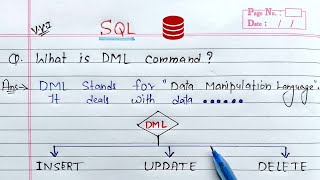
The Data Manipulation Language (DML) is a critical component of SQL that allows users to manage and manipulate the data stored in database tables. DML commands enable the insertion of new data, retrieval of existing information, updating of values within rows, and deletion of records. Unlike Data Definition Language (DDL), which deals with the structure of the database (such as creating and modifying table schemas), DML focuses on the content of those tables.
The main DML commands include:
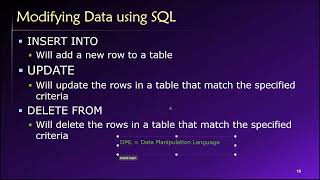
- INSERT: Adds new rows to a table.
- SELECT: Retrieves data from one or more tables, ensuring users can access the information they need.
- UPDATE: Modifies existing data in the database.
- DELETE: Removes data from a table.
Each of these commands is essential for data management and forms the foundation of database interactions, making it vital for users to understand their syntax and usage.
Youtube Videos


Audio Book
Dive deep into the subject with an immersive audiobook experience.
Overview of DML
Chapter 1 of 5
🔒 Unlock Audio Chapter
Sign up and enroll to access the full audio experience
Chapter Content
The Data Manipulation Language (DML) portion of SQL is used for managing and manipulating the actual data stored within the database tables. DML commands allow you to insert new rows, retrieve existing data, update values in rows, and delete rows. These statements affect the content of the database, not its structure.
Detailed Explanation
DML is critical for interacting with the data in a database. Unlike Data Definition Language (DDL), which is focused on the structure of the database schema, DML is concerned with the actual records within those structures. With DML, you can do four primary things: add new data (INSERT), fetch existing data (SELECT), change existing data (UPDATE), and remove data (DELETE). Each of these commands has a specific syntax and purpose that directly influences the records in your tables.
Examples & Analogies
Think of DML as the operations at a restaurant. When you order a meal (INSERT), you're adding to your dining experience. When you ask for a repeat of your favorite dish (SELECT), you're retrieving what you already enjoyed. If you decide you want to change your order (UPDATE), you're modifying what was originally chosen. Finally, if you decide to leave the restaurant without finishing your meal (DELETE), you're removing that experience from your table.
INSERT Statements
Chapter 2 of 5
🔒 Unlock Audio Chapter
Sign up and enroll to access the full audio experience
Chapter Content
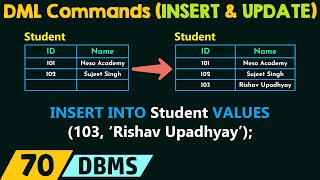
The INSERT statement is used to add new rows (tuples) of data into an existing table.
Syntax Option 1: Inserting values into specific columns (Recommended): This is the safest and most common way to insert data, as it explicitly lists the columns you are providing values for.
INSERT INTO table_name (column1, column2, ...)
VALUES (value1, value2, ...);
Example 1 (Inserting into all specified columns):
INSERT INTO Departments (DeptID, DeptName, Location)
VALUES (10, 'Computer Science', 'Main Campus');
Example 2 (Inserting into specific columns, letting others default/be NULL):
INSERT INTO Students (StudentID, FirstName, LastName, MajorDeptID)
VALUES (1, 'Alice', 'Smith', 10);
Syntax Option 2: Inserting values into all columns (Order-dependent - Use with Caution): If you omit the column list, you must provide values for all columns in the exact order they were defined in the CREATE TABLE statement.
INSERT INTO table_name
VALUES (value1, value2, ...);
Example:
INSERT INTO Students
VALUES (2, 'Bob', 'Johnson', '2005-02-20', 'bob@example.com', 10, '2023-09-01');
Syntax Option 3: Inserting data from another table (INSERT SELECT): You can insert rows into a table by selecting data from another table (or the same table).
INSERT INTO target_table (column1, column2, ...)
SELECT source_column1, source_column2, ...
FROM source_table
WHERE condition;
Example:
INSERT INTO Students (StudentID, FirstName, LastName, Email)
SELECT NewStudentID, NewFirstName, NewLastName, NewEmail
FROM NewStudents
WHERE AdmissionStatus = 'Admitted';
Detailed Explanation
The INSERT statement is crucial for populating your database with data. There are three ways to use it: You can explicitly specify which columns you are inserting data into, rely on the default values for any omitted columns, or even insert data directly from another table. This flexibility ensures that you can efficiently add data without having to fill in every detail if it's not necessary.
Examples & Analogies
Imagine you're filling out a form at a doctor's office. You can choose to fill in only your name and contact information (INSERT into specific columns) while allowing the system to generate a default patient ID (default values). Alternatively, you may find that all fields are required to create a profile, mirroring inserting data into all columns. Or, if the doctor has your previous records on file, they could easily pull that information into your new file (INSERT SELECT) without asking you to repeat everything.
SELECT Statement: Basic Queries
Chapter 3 of 5
🔒 Unlock Audio Chapter
Sign up and enroll to access the full audio experience
Chapter Content
The SELECT statement is the most frequently used DML command. It is used to retrieve data from one or more tables in your database. The result of a SELECT query is always a new, temporary table called a result set.
Basic Syntax:
SELECT [DISTINCT] column1, column2, ... (or *)
FROM table_name
[WHERE condition];
Examples of Basic SELECT Queries:
Select all columns from a table:
SELECT *
FROM Students;
Select specific columns from a table:
SELECT FirstName, LastName, Email
FROM Students;
Select distinct values from a column:
SELECT DISTINCT MajorDeptID
FROM Students;
Detailed Explanation
The SELECT command is used to query data and retrieve it from a database. It's highly versatile, allowing the retrieval of all columns, specific columns, or even unique values from a column. Applying the WHERE clause helps filter results based on certain criteria, ensuring you're only working with the relevant data needed for analysis.
Examples & Analogies
Think of SELECT as a librarian looking for books. When you ask for all books in the library (SELECT *), you get the entire collection. If you want only books on a specific topic (specific columns), the librarian will narrow it down just for you. Asking for unique book titles (SELECT DISTINCT) ensures that you only get each title once, avoiding duplicates on your list.
UPDATE Statements
Chapter 4 of 5
🔒 Unlock Audio Chapter
Sign up and enroll to access the full audio experience
Chapter Content
The UPDATE statement is used to modify existing data in one or more rows of a table.
General Syntax:
UPDATE table_name
SET column1 = new_value1, column2 = new_value2, ...
[WHERE condition];
Example 1 (Updating specific rows):
UPDATE Students
SET Email = 'alice.smith@newdomain.com'
WHERE StudentID = 1;
Example 2 (Updating multiple columns for specific rows):
UPDATE Departments
SET Location = 'North Campus', DeptName = 'Computer Science & Engineering'
WHERE DeptID = 10;
Detailed Explanation
The UPDATE statement allows you to change existing records in a table. This can be particularly useful when correcting information or updating status. It's crucial to include the WHERE clause to specify which records you want to update; otherwise, all records in the table may be modified.
Examples & Analogies
Imagine you’re editing an entry in your contact list on your phone. When you change Alice’s email address (UPDATE a specific row), you will need to specify which Alice you are referring to, or else all contacts named Alice might be altered if you don’t specify details (lack of WHERE clause). It’s like telling a waiter to change all orders to ‘medium rare’ when only a specific table needed a revision.
DELETE Statements
Chapter 5 of 5
🔒 Unlock Audio Chapter
Sign up and enroll to access the full audio experience
Chapter Content
The DELETE statement is used to remove one or more existing rows (tuples) from a table.
General Syntax:
DELETE FROM table_name
[WHERE condition];
Example 1 (Deleting specific rows):
DELETE FROM Students
WHERE StudentID = 2;
Example 2 (Deleting rows based on a condition):
DELETE FROM Departments
WHERE Location = 'Old Building';
Detailed Explanation
The DELETE statement is utilized to remove unwanted or incorrect data from a table. Like the UPDATE statement, the WHERE clause is essential here; omitting this clause can cause the deletion of all records in the table.
Examples & Analogies
Think of DELETE like cleaning out your closet. If you decide to remove a specific shirt (DELETE specific rows), you need to know which shirt to take out. But if you say ‘clear out everything’ without thinking (omitting WHERE), your whole closet will be emptied, leading to a major inconvenience!
Key Concepts
-
INSERT: Command to add new data into a table.
-
SELECT: Command to retrieve data from a table.
-
UPDATE: Command to modify existing data in a table.
-
DELETE: Command to remove data from a table.
-
WHERE Clause: Filters records based on conditions.
Examples & Applications
INSERT INTO Students (StudentID, FirstName, LastName) VALUES (1, 'Alice', 'Johnson');
SELECT FirstName, LastName FROM Students WHERE MajorDeptID = 10;
UPDATE Students SET Email = 'alice@newdomain.com' WHERE StudentID = 1;
DELETE FROM Students WHERE StudentID = 1;
Memory Aids
Interactive tools to help you remember key concepts
Rhymes
To INSERT is to add, in SQL it is neat,
Stories
Imagine a library where each book is information. The INSERT command is like adding a new book, the SELECT command allows you to read any book you want, UPDATE allows you to change details on any book, and DELETE removes any book you no longer want.
Memory Tools
Remember 'I SUD' for Data Manipulation Language: Insert, Select, Update, Delete.
Acronyms
DML
Data Management Language that Deals with data
Manipulation
and Learning.
Flash Cards
Glossary
- INSERT
A SQL command to add new rows of data into a table.
- SELECT
A SQL command to retrieve data from one or more tables.
- UPDATE
A SQL command to modify existing data in a table.
- DELETE
A SQL command to remove existing rows from a table.
- WHERE clause
A clause used in SQL to filter records based on specific conditions.
Reference links
Supplementary resources to enhance your learning experience.