
Defining Constraints
Interactive Audio Lesson
Listen to a student-teacher conversation explaining the topic in a relatable way.
Introduction to Constraints
🔒 Unlock Audio Lesson
Sign up and enroll to listen to this audio lesson

Today, we're going to learn about constraints in SQL. Can anyone tell me why constraints are important?

I think they're important because they help to keep data accurate and consistent.
Exactly, Student_1! Constraints ensure that only valid data is stored in the database. They help in maintaining data integrity. Now, can anyone name some types of constraints?

Isn't there a PRIMARY KEY constraint that ensures each row is unique?
Yes, that's right! The PRIMARY KEY constraint uniquely identifies each row in a table. Remember, a key concept is that a table can have only one PRIMARY KEY. Let's use the acronym 'PIN' to remember: it stands for 'Primary Identification Number'!
Types of Constraints
🔒 Unlock Audio Lesson
Sign up and enroll to listen to this audio lesson

Now, let's dive into the specific types of constraints. First up, the FOREIGN KEY. Anyone can explain what it does?

A FOREIGN KEY connects a row in one table to a row in another table, right?
Exactly, Student_3! It helps to enforce referential integrity. The data in the referencing columns must correspond to the data in other tables. As for the NOT NULL constraint, can someone remind us what that means?

It means that a column can't have NULL values, so every row must have a value there!
Great job, Student_4! This is crucial for ensuring every record has complete information. Remember this phrase: 'No room for NULLs!'
UNIQUE, CHECK, and DEFAULT Constraints
🔒 Unlock Audio Lesson
Sign up and enroll to listen to this audio lesson
Next, let's discuss the UNIQUE constraint. What does this constraint do?
It ensures all values in a column are different from each other, right?
Correct, Student_1! It's similar to PRIMARY KEY, but a UNIQUE key can allow one NULL value. Now who can tell me about the CHECK constraint?
CHECK makes sure that the values in a column meet certain conditions.
Precisely! It’s used to validate data. And finally, the DEFAULT constraint—you can set it to provide a default value when no value is supplied. Let’s remember 'DEFAULT means it's already set at the start!'
Defining Constraints in SQL
🔒 Unlock Audio Lesson
Sign up and enroll to listen to this audio lesson
Let’s wrap up by looking at how we define these constraints in SQL. Who can provide the syntax for a PRIMARY KEY constraint?
Isn't it 'column_name data_type PRIMARY KEY'?
Yes, that’s the correct syntax! And for a FOREIGN KEY, what does it look like?
It's 'FOREIGN KEY (column_name) REFERENCES other_table(column_name)'!
Well done! Let’s summarize what we’ve learned about constraints today. What are the key constraints we've discussed?
PRIMARY KEY, FOREIGN KEY, NOT NULL, UNIQUE, CHECK, and DEFAULT!
Fantastic recap! Remember, constraints are crucial in maintaining data integrity and consistency within our databases.
Introduction & Overview
Read summaries of the section's main ideas at different levels of detail.
Quick Overview
Standard
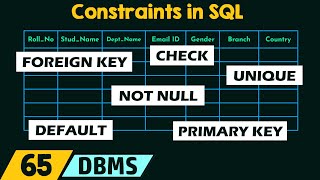
In this section, we explore various types of constraints in SQL, such as PRIMARY KEY, FOREIGN KEY, NOT NULL, UNIQUE, CHECK, and DEFAULT. These constraints help maintain data integrity by enforcing specific rules on the data being entered into the database.
Detailed
In SQL, defining constraints is crucial for maintaining data integrity and ensuring that the data adheres to specified business rules. Constraints act as rules that govern what data can be inserted or updated in a database. They fall into two main categories: Inline (column-level) constraints and Out-of-line (table-level) constraints. Key constraints discussed include:
- PRIMARY KEY: Uniquely identifies each row in a table and enforces that no two rows can share the same primary key value.
- FOREIGN KEY: Links data between tables, ensuring referential integrity by ensuring foreign key values correspond to existing values in the referenced table.
- NOT NULL: Guarantees that a column must not contain NULL values, thus requiring that each entry has a valid value.
- UNIQUE: Ensures that all values in a column (or a set of columns) must be distinct across all rows.
- CHECK: Enforces a specific condition that data must meet before it can be inserted or updated.
- DEFAULT: Assigns a default value to a column if no value is specified during the data insertion.
By using these constraints effectively, database designers can enforce rules that preserve data integrity within the database.
Youtube Videos








Audio Book
Dive deep into the subject with an immersive audiobook experience.
Introduction to Constraints
Chapter 1 of 8
🔒 Unlock Audio Chapter
Sign up and enroll to access the full audio experience
Chapter Content
Constraints are rules that are enforced on data columns or tables to maintain data integrity and consistency, as discussed in Module 2. They ensure that data conforms to specific business rules and prevent invalid data from being inserted, updated, or deleted.
Detailed Explanation
Constraints are essentially rules applied to the columns of a database table to ensure the accuracy and reliability of the data stored. They help to maintain the integrity of the data, meaning the data remains consistent and valid according to certain defined criteria or business rules. For example, a constraint might prevent a student's age from being less than 0 or greater than 120, thus ensuring no invalid ages can be entered into the database.
Examples & Analogies
Think of constraints as the rules of a game. Just like in a sport where players must follow the rules (like not being able to use your hands in soccer), constraints ensure that only valid moves (data) are allowed in the database.
Types of Constraints
Chapter 2 of 8
🔒 Unlock Audio Chapter
Sign up and enroll to access the full audio experience
Chapter Content
Constraints can be defined in two ways:
- Inline (Column-level): Defined immediately after the column definition to which they apply.
- Out-of-line (Table-level): Defined separately after all column definitions, typically for constraints that involve multiple columns or for better readability.
Detailed Explanation
There are two main ways to apply constraints to table columns. Inline constraints are added directly next to the column definition, making them specific and localized. On the other hand, out-of-line constraints are defined after all columns have been listed, which can be clearer when several columns are involved. For instance, if you want to specify that a pair of columns together must be unique (like a combination of a student's Student ID and Course ID), you would use an out-of-line constraint for better organization.
Examples & Analogies
Imagine you are organizing a library. Using inline constraints is like putting a tag on each book about its genre (defined immediately with the book). Using out-of-line constraints is like having a categorized list of all genres at the library entrance that shows which genres are available together.
PRIMARY KEY Constraint
Chapter 3 of 8
🔒 Unlock Audio Chapter
Sign up and enroll to access the full audio experience
Chapter Content
Purpose: Uniquely identifies each row (tuple) in a table. It ensures that no two rows have the same value for the primary key column(s), and that no part of the primary key is NULL. A table can have only one primary key.
Detailed Explanation
The PRIMARY KEY constraint is crucial as it ensures that each record in a table is unique and can be precisely identified. For example, in a student database, the Student ID could serve as the primary key; no two students can have the same ID, and this ID cannot be left blank (NULL). This ensures data integrity so that each record can be uniquely retrieved without confusion.
Examples & Analogies
Think of a primary key as a unique identification number like a Social Security Number or a driver's license number. Just like every person has a distinct ID allowing them to be uniquely identified, each row in a database must have a primary identifier.
FOREIGN KEY Constraint
Chapter 4 of 8
🔒 Unlock Audio Chapter
Sign up and enroll to access the full audio experience
Chapter Content
Purpose: Links a column (or set of columns) in one table (the "child" or referencing table) to the PRIMARY KEY (or UNIQUE key) in another table (the "parent" or referenced table). It enforces referential integrity, ensuring that a foreign key value always refers to an existing primary key value in the referenced table, or is NULL (if allowed).
Detailed Explanation
A FOREIGN KEY constraint establishes a connection between two tables, where a column in one table refers to the primary key of another. This ensures referential integrity so that for every entry in the referencing table, there is a valid corresponding entry in the referenced table. For example, if a student has a foreign key pointing to a department's primary key, it ensures that the department must exist for the student's record to be valid.
Examples & Analogies
Think of a foreign key like a reference letter from one institution to another. If someone claims to be a student from a particular school, there must be a valid entry in the school records for that student, just like a foreign key must reference a valid record in another table.
NOT NULL Constraint
Chapter 5 of 8
🔒 Unlock Audio Chapter
Sign up and enroll to access the full audio experience
Chapter Content
Purpose: Ensures that a column cannot store NULL values. Every row must have a definite value for this column.
Detailed Explanation
The NOT NULL constraint is straightforward: it mandates that specific columns cannot have missing entries (NULLs). For example, in a student's table, fields like First Name and Last Name might be set as NOT NULL, meaning that every student must have a name recorded - they cannot be left blank. This helps ensure that essential information is always captured.
Examples & Analogies
Imagine a restaurant that requires customers to provide their names when making a reservation. If a reservation is made without a name, it would be analogous to allowing a NULL value. The restaurant can’t operate efficiently without knowing who is coming, similar to how a database cannot function properly with essential NULL values.
UNIQUE Constraint
Chapter 6 of 8
🔒 Unlock Audio Chapter
Sign up and enroll to access the full audio experience
Chapter Content
Purpose: Ensures that all values in a specific column (or set of columns) are unique across all rows in the table. While similar to PRIMARY KEY, a UNIQUE constraint can allow one NULL value for that column (if the column is not also NOT NULL).
Detailed Explanation
The UNIQUE constraint maintains the requirement that all data in a specified column must be different from each other across the entire table. This is similar to the PRIMARY KEY constraint, but allows for one NULL value. For example, a student's email address could be a unique identifier, ensuring that no two students can register the same email address but allowing one student to have no email recorded.
Examples & Analogies
Think of a UNIQUE constraint as the policy of a networking site where every user must have a different username. However, just like some users may decide not to use a username at all or register without it, allowing one NULL while ensuring all other usernames are unique.
CHECK Constraint
Chapter 7 of 8
🔒 Unlock Audio Chapter
Sign up and enroll to access the full audio experience
Chapter Content
Purpose: Enforces a specific condition on the values in a column or set of columns. If a value violates the condition, the insertion or update operation is rejected.
Detailed Explanation
A CHECK constraint sets a rule that dictates certain acceptable values for a column. For instance, if a column performs checks to ensure that ages are always greater than 0, any attempt to insert an invalid age (like -5) would be automatically rejected by the database, reinforcing the integrity of the data.
Examples & Analogies
Imagine a library that only allows books published from the year 2000 onward. If someone tries to add a book from 1990, the library will reject it due to the CHECK constraint, akin to enforcing rules to maintain order and quality.
DEFAULT Constraint
Chapter 8 of 8
🔒 Unlock Audio Chapter
Sign up and enroll to access the full audio experience
Chapter Content
Purpose: Specifies a default value for a column. If no value is explicitly provided for this column during an INSERT operation, the default value will be automatically inserted.
Detailed Explanation
The DEFAULT constraint is convenient as it automatically fills a column with a specified value if no value is provided during data entry. For example, if a student's enrollment date is set to DEFAULT CURRENT_DATE, that column will automatically save the current date when the student record is created unless another value is specifically entered.
Examples & Analogies
Consider an online form for ordering pizza, where if a customer does not specify a size, it defaults to 'medium.' The DEFAULT constraint acts similarly by filling in data automatically unless the user specifies otherwise.
Key Concepts
-
Constraints are rules that maintain data integrity and consistency.
-
Types of constraints include PRIMARY KEY, FOREIGN KEY, NOT NULL, UNIQUE, CHECK, and DEFAULT.
-
Constraints can be defined inline (column level) or out-of-line (table level).
Examples & Applications
Defining a PRIMARY KEY: 'StudentID INTEGER PRIMARY KEY' ensures StudentID is unique for each student in a table.
Using a FOREIGN KEY: 'FOREIGN KEY (MajorDeptID) REFERENCES Departments(DeptID)' ensures that MajorDeptID must exist in the Departments table.
Memory Aids
Interactive tools to help you remember key concepts
Rhymes
Constraints keep our data neat, unique rows can’t face defeat.
Stories
Think of constraints as bouncers at a club—they only let in the right people (data) and keep the unwanted out!
Memory Tools
Use the acronym C.U.N.C.H. for Constraints: C for CHECK, U for UNIQUE, N for NOT NULL, C for FOREIGN KEY, H for PRIMARY KEY.
Acronyms
D.R.E.A.M. to remember the constraints
for DEFAULT
for Referential integrity (FOREIGN KEY)
for Ensure uniqueness (PRIMARY KEY)
for Allowable data (CHECK)
for MUST have value (NOT NULL).
Flash Cards
Glossary
- PRIMARY KEY
A constraint that uniquely identifies each row in a table.
- FOREIGN KEY
A constraint that links a column in one table to the primary key of another table, enforcing referential integrity.
- NOT NULL
A constraint that ensures a column cannot have NULL values.
- UNIQUE
A constraint that ensures all values in a column are distinct across all rows.
- CHECK
A constraint that enforces a specific condition for values in a column.
- DEFAULT
A constraint that assigns a default value to a column if no value is provided.
Reference links
Supplementary resources to enhance your learning experience.