
Common ALTER TABLE operations
Interactive Audio Lesson
Listen to a student-teacher conversation explaining the topic in a relatable way.
Adding a New Column
🔒 Unlock Audio Lesson
Sign up and enroll to listen to this audio lesson

Let's begin with how we can enhance our existing tables by adding new columns using the ALTER TABLE statement. Can anyone tell me what the command looks like?

Is it something like `ALTER TABLE Students ADD COLUMN PhoneNumber VARCHAR(20);`?
Exactly! You're spot on. The `ADD COLUMN` part specifies what we want to add and the type of data that column will hold. Remember, the syntax is crucial. Mnemonic aid to remember: A(n) ADDed column fits like a puzzle piece!

What happens to the existing data in the table when we add a new column?
Good question! The new column will initially be filled with NULL values for existing rows unless you specify a DEFAULT value. Now, can anyone think of a scenario where we might want to do this?

Maybe when we want to collect new contact information like a phone number?
That's right! Adding contact information can enhance our data usability. Great insights!
Dropping an Existing Column
🔒 Unlock Audio Lesson
Sign up and enroll to listen to this audio lesson

Let’s now discuss dropping a column. Can anyone tell me what the command for that would be?

I think it's `ALTER TABLE table_name DROP COLUMN column_name;`.
Correct! However, we should be cautious because dropping a column permanently deletes it and all its data. Remember: 'DROP = Done; No Back.' Have we ever needed to drop a column before?
Yes, if a column wasn't needed anymore or had redundant information.
Exactly, redundancy often calls for a clean-up. What should we keep in mind before performing this action?
To check if other tables reference that column, right?
Absolutely! Referential integrity issues can stop this operation, so always be vigilant.
Adding and Dropping Constraints
🔒 Unlock Audio Lesson
Sign up and enroll to listen to this audio lesson
Now, let’s tackle constraints. Why do we use constraints in SQL?
To enforce rules on our data for validity and integrity, right?
Exactly! We can add constraints to a table using `ALTER TABLE table_name ADD CONSTRAINT`. What example comes to mind?
Maybe using a UNIQUE constraint on email addresses?
Spot on! Adding a UNIQUE constraint helps prevent duplicates. Now, what about removing a constraint?
Do we use `DROP CONSTRAINT`?
Exactly! Always remember: Adding or dropping constraints can significantly impact data quality. Think before you act!
Modifying Column Properties
🔒 Unlock Audio Lesson
Sign up and enroll to listen to this audio lesson
Finally, let’s discuss modifying a column's properties. What should we consider when we want to change a column's data type?
We need to check compatibility with existing data.
Correct! We want to ensure no data is lost or corrupted. The syntax varies across DBMS, but the idea is the same. Can anyone remind me a helpful indicator for this?
Consulting the specific DBMS documentation is crucial.
Right! Always refer to your DBMS documentation for the exact syntax. The general lesson here is to always keep data integrity at the forefront when modifying.
Introduction & Overview
Read summaries of the section's main ideas at different levels of detail.
Quick Overview
Standard
In this section, we explore the ALTER TABLE statement, which is essential for modifying the structure of existing tables in SQL. We discuss common operations such as adding a new column, dropping a column, adding constraints, and modifying a column's data type, providing examples and important considerations for each operation.
Detailed
The ALTER TABLE statement in SQL is a powerful command used to modify an existing table's structure. It allows users to make several changes necessary for maintaining a database's schema over time. Key operations include: 1. Adding a New Column: This operation lets you append a new column to a table, defining its data type and constraints if necessary. For example, adding a phone number column can be done with the command ALTER TABLE Students ADD COLUMN PhoneNumber VARCHAR(20);. 2. Dropping an Existing Column: This command is used to remove a column completely, along with its data, using ALTER TABLE Students DROP COLUMN PhoneNumber;. Caution is advised as this action cannot be undone. 3. Adding a Constraint: Constraints can be added to existing tables to enforce rules on data integrity. For instance, using ALTER TABLE Students ADD CONSTRAINT UQ_Email UNIQUE (Email); adds a unique constraint to the email column. 4. Dropping a Constraint: Constraints can also be removed to allow for greater flexibility in data entry. An example command would be ALTER TABLE Students DROP CONSTRAINT UQ_Email;. 5. Modifying a Column's Data Type or Properties: Data types of existing columns can often be modified, though the syntax might vary between database management systems (DBMS). Whether it’s a change in character limits or numeric types, careful consideration of data integrity is vital here. Understanding these operations is fundamental for database management as it facilitates adapting to evolving data requirements or addressing schema issues.
Youtube Videos





Audio Book
Dive deep into the subject with an immersive audiobook experience.
Adding a New Column
Chapter 1 of 5
🔒 Unlock Audio Chapter
Sign up and enroll to access the full audio experience
Chapter Content
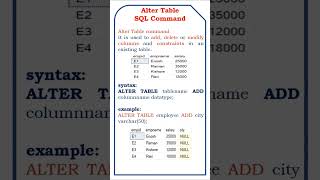
ALTER TABLE table_name
ADD COLUMN new_column_name data_type [constraint];
- Example:
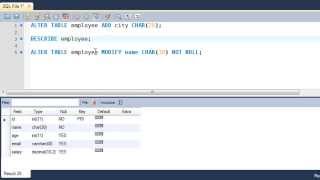
ALTER TABLE Students ADD COLUMN PhoneNumber VARCHAR(20);
Detailed Explanation
The ALTER TABLE statement allows you to change the structure of an existing table in your database. When you want to add a new column, you specify the table name and the new column's name and type. The optional constraint can include rules like whether the column can hold NULL values or must be unique. In the example, we're adding a PhoneNumber column to the Students table, which can store a string of up to 20 characters.
Examples & Analogies
Think of a table as a classroom. If you wanted to add a new desk (a new column) for a new student, you wouldn't have to rebuild the entire classroom; you'd just add that new desk in the existing space.
Dropping an Existing Column
Chapter 2 of 5
🔒 Unlock Audio Chapter
Sign up and enroll to access the full audio experience
Chapter Content
ALTER TABLE table_name
DROP COLUMN column_name;
- Caution: This will permanently delete the column and all its data.
- Example:
ALTER TABLE Students DROP COLUMN PhoneNumber;
Detailed Explanation
The DROP COLUMN command is used to completely remove a column from a table. This action is irreversible; once you drop the column, all the data contained in that column is permanently lost. In the example, we're removing the PhoneNumber column from the Students table. It's important to be cautious when dropping columns as the loss of data can impact your database.
Examples & Analogies
Imagine you have a filing cabinet with different drawers representing the columns. If you decide to remove one drawer (drop a column), all the files inside that drawer (data) are thrown away forever. You need to be sure that you don’t need that information before you proceed.
Adding a Constraint
Chapter 3 of 5
🔒 Unlock Audio Chapter
Sign up and enroll to access the full audio experience
Chapter Content
ALTER TABLE table_name
ADD CONSTRAINT constraint_name constraint_definition;
- Example:
ALTER TABLE Students ADD CONSTRAINT UQ_Email UNIQUE (Email);
Detailed Explanation
Constraints are rules that ensure the integrity of your data in a table. To add a new constraint, you can use the ADD CONSTRAINT command. This command can define a new rule for existing data in the table, such as making sure every email in the Students table is unique. In the example provided, we're adding a unique constraint to the Email column, preventing duplicate email addresses from being entered.
Examples & Analogies
Think of constraints like the rules you have in a game. If you set a rule that each player must have a unique identifier (like a player number), it ensures fairness and prevents confusion. Adding constraints to a table sets similar 'rules' for the data it holds.
Dropping a Constraint
Chapter 4 of 5
🔒 Unlock Audio Chapter
Sign up and enroll to access the full audio experience
Chapter Content
ALTER TABLE table_name
DROP CONSTRAINT constraint_name;
- Example:
ALTER TABLE Students DROP CONSTRAINT UQ_Email;
Detailed Explanation
If a constraint is no longer needed, you can remove it using the DROP CONSTRAINT command. This may be necessary if the business rules governing your data change. For example, removing the unique email constraint would allow students to register multiple times with the same email address. In the example, the unique constraint named UQ_Email is dropped from the Students table, allowing duplicate email entries.
Examples & Analogies
Imagine that a restaurant initially has a rule that says, 'No more than one dish per person.' If they decide to change that rule and allow guests to order more than one dish, they would simply remove that restriction. Similarly, dropping a constraint can change how data is managed in your database.
Modifying a Column's Data Type or Properties
Chapter 5 of 5
🔒 Unlock Audio Chapter
Sign up and enroll to access the full audio experience
Chapter Content
ALTER TABLE Students
ALTER COLUMN FirstName TYPE VARCHAR(100); -- PostgreSQL/MySQL style
Detailed Explanation
You may need to adjust the properties of existing columns, such as changing a column's data type or size to accommodate new data requirements. Different database management systems (DBMS) have slightly different syntax for making changes. In this example, the column FirstName may be expanded to store up to 100 characters instead of the previous limit. The specific command to use varies by DBMS—consulting the documentation is essential for the correct syntax.
Examples & Analogies
Consider a wardrobe that originally only has hanging space for dresses. If you want it to also accommodate heavier coats, you might adjust the structure internally to hold those larger items. Adjusting a column’s type is akin to modifying your wardrobe layout to meet new storage needs.
Key Concepts
-
ALTER TABLE: Command used to modify table structures.
-
Adding a Column: Process of introducing a new data field into a table.
-
Dropping a Column: Permanent removal of a column and its data.
-
Adding Constraints: Establishing rules for data integrity within tables.
-
Modifying Column Properties: Changing the characteristics of existing columns.
Examples & Applications
To add a phone number column: ALTER TABLE Students ADD COLUMN PhoneNumber VARCHAR(20);
To drop an unnecessary column: ALTER TABLE Students DROP COLUMN PhoneNumber;
Adding a unique constraint to emails: ALTER TABLE Students ADD CONSTRAINT UQ_Email UNIQUE (Email);
Modifying a student's first name column to a larger character length: ALTER TABLE Students ALTER COLUMN FirstName TYPE VARCHAR(100);
Memory Aids
Interactive tools to help you remember key concepts
Rhymes
ALTER one way, for bright daylight! Add a column without fright!
Stories
Imagine a librarian in a library; every time a new book comes, a shelf is added just for that title, similar to our tables well-structured by adding appropriate columns over time.
Memory Tools
A.C.D.C. - Add Column, Drop Column, Constraints, Modify for remembering ALTER operations.
Acronyms
ACE - Add, Change, Eliminate, for the three main operations of ALTER TABLE.
Flash Cards
Glossary
- ALTER TABLE
A SQL command used to modify an existing table structure by adding, dropping, or modifying columns and constraints.
- Column
A vertical data field in a table that holds specific types of information as defined by the user.
- Constraint
Rules applied to columns or tables in a database to maintain the integrity and accuracy of data.
- Data Type
Specifies the kind of data that can be stored in a column, such as INTEGER, VARCHAR, or DATE.
- Uniqueness
A property that ensures all values in a column are distinct from one another.
Reference links
Supplementary resources to enhance your learning experience.