
Describe and Analyze Memory Devices Used in Digital Systems
Interactive Audio Lesson
Listen to a student-teacher conversation explaining the topic in a relatable way.
Introduction to Memory in Digital Systems
🔒 Unlock Audio Lesson
Sign up and enroll to listen to this audio lesson

Today, we're discussing the critical role of memory in digital systems. Can anyone tell me what functions memory serves in these systems?

Memory stores data and instructions needed for processing.
Exactly! Memory not only stores data but also holds intermediate values and retains configurations. Who can share the difference between volatile and non-volatile memory?

Volatile memory loses data when power is off, whereas non-volatile retains data.
Great point! Let's remember: 'V for Volatile = V for Vanishing data when powered down!'
Classification of Memory
🔒 Unlock Audio Lesson
Sign up and enroll to listen to this audio lesson

Now, let’s classify memory into primary and secondary types. Who can name one type of primary memory?

RAM is a type of primary memory!
Exactly! And what about secondary memory? Any examples?

HDD or SSD are examples of secondary memory.
Perfect! Remember: 'Primary = Fast Access; Secondary = Slower and Larger.'
Understanding RAM and ROM
🔒 Unlock Audio Lesson
Sign up and enroll to listen to this audio lesson
Let’s break down RAM and ROM. Can anyone explain what RAM does in a computer?
RAM is used for temporary data storage during execution.
Correct! It is volatile and allows both read and write operations. What about ROM?
ROM is non-volatile and data is pre-programmed.
Exactly! To help remember: Think 'Read-Only Memory (ROM): Read Multiple times, but Can’t modify!'
Memory Hierarchy and Addressing
🔒 Unlock Audio Lesson
Sign up and enroll to listen to this audio lesson
Let’s look at the memory hierarchy. What do you think follows from fastest to slowest in memory types?
Registers are the fastest, followed by cache, then RAM, and finally secondary storage.
Excellent! Remember: 'Registers are like the fastest helpers – they work closely with the CPU.' As for memory addressing, how does a computer access memory locations?
Using a unique binary address!
That's correct! The size of the address bus determines how many locations can be accessed – for example, a 16-bit bus accesses 65,536 locations.
Memory Applications in Embedded Systems
🔒 Unlock Audio Lesson
Sign up and enroll to listen to this audio lesson
Lastly, let’s discuss how memory is utilized in embedded systems. Can anyone name a microcontroller and its memory specifics?
The ATmega328P is an example and it has 32 KB of Flash memory.
Fantastic! So, how does this relate to our understanding of memory hierarchy and functionality?
It shows how different types of memory are allocated for specific functions.
Exactly right! Let's remember: 'Flash = Fast Storage in Microcontrollers!'
Introduction & Overview
Read summaries of the section's main ideas at different levels of detail.
Quick Overview
Standard
Memory devices are vital in digital systems for data storage and processing. This section categorizes memory into primary and secondary types, discusses volatile and non-volatile memory, and details the functionalities of RAM and ROM, as well as their applications in various systems.
Detailed
Memory in Digital Systems
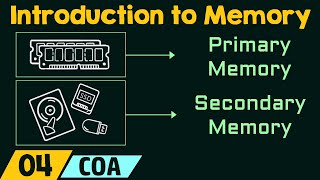
Memory is an essential element in digital environments necessary for storing data, holding temporary processing values, and retaining condition or program states. Memory can be classified into two main categories: Primary Memory which includes RAM (Random Access Memory) that is fast but volatile, and Secondary Memory which includes hard drives (HDD) and solid-state drives (SSD) that offer larger storage but are slower than primary memory.
Volatile Memory loses its contents when the power is turned off, whereas Non-Volatile Memory, such as ROM (Read Only Memory), retains information. Detailed analysis reveals two primary types of RAM: Static RAM (SRAM), which is faster but more costly, and Dynamic RAM (DRAM), which is less expensive but slower.
The hierarchy of memory types is also essential, illustrating the speed versus capacity relationship, starting from registers, cache, and moving to main memory (RAM) and finally secondary storage. The parameters defining memory include capacity, access time, cycle time, and word size, each crucial for understanding memory function.
Addressing in memory involves a unique binary address system that determines how many memory locations can be accessed. The design of memory cells varies, with SRAM cells using multiple transistors, while ROM retains a fixed logic state and DRAM uses transistors and capacitors. Applications highlight the role of memory in embedded systems such as microcontrollers, illustrating practical usages of these concepts.
Youtube Videos



Audio Book
Dive deep into the subject with an immersive audiobook experience.
Introduction to Memory in Digital Systems
Chapter 1 of 4
🔒 Unlock Audio Chapter
Sign up and enroll to access the full audio experience
Chapter Content
Memory is a crucial component of any digital system. It provides the ability to:
● Store data and instructions
● Hold intermediate processing values
● Retain configuration or program states
Memory devices vary in terms of speed, size, cost, and volatility.
Detailed Explanation
Memory acts as the storage backbone of digital systems. Its primary functions include storing data and instructions needed for processing, retaining temporary values during computations, and maintaining settings or configurations for systems to operate correctly. Memory devices can differ in several characteristics, like speed (how quickly they can read/write data), size (amount of data they can store), cost (how expensive they are), and volatility (if they retain data when powered off). Understanding these aspects is fundamental when designing or working with digital systems.
Examples & Analogies
Think of memory in a digital system like a library. Just like a library stores a variety of books (data and instructions) for people to read (process), it also holds temporary spaces for reading materials (intermediate processing values) that visitors need to use. Moreover, certain sections of the library might have rules about whether you can keep the books overnight (volatility) or if you have to return them after your visit (data retention).
Classification of Memory
Chapter 2 of 4
🔒 Unlock Audio Chapter
Sign up and enroll to access the full audio experience
Chapter Content
Memory Description Examples
Type mpl
es
Primary Fast, directly accessible by CPU, RAM, ROM
Secondary Larger, slower, not directly accessed, HDD, SSD
Volatile Loses data when power is off, RAM, cache
Non-Volatile Retains data without power, ROM, Flash
Detailed Explanation
Memory can be classified into several categories based on how it operates and its functionality. Primary memory, like RAM and ROM, is fast and directly accessible by the CPU, making it crucial for the system’s performance. Secondary memory, such as Hard Drives (HDD) and Solid State Drives (SSD), offers larger storage but is slower and not directly accessed by the CPU. Volatile memory loses its data when the power is switched off—this includes RAM and cache. Non-volatile memory retains information even when powered off—examples include Read-Only Memory (ROM) and Flash storage. This classification helps in understanding how and where to utilize each type effectively for specific applications.
Examples & Analogies
Imagine the types of memory like different storage options in a home. The primary memory is akin to an open shelf—easy to access and quick to retrieve items (like RAM for immediate data processing). Secondary memory is like a storage room—more spacious but takes longer to navigate and retrieve items (like an HDD for less frequently accessed data). Volatile memory is like a whiteboard that loses its information once it’s wiped clean (like RAM), while non-volatile memory is like a locked safe that retains important documents even when the power is out (like Flash storage).
RAM – Random Access Memory
Chapter 3 of 4
🔒 Unlock Audio Chapter
Sign up and enroll to access the full audio experience
Chapter Content
● Volatile memory used for temporary data storage during execution.
● Both read and write operations are possible.
Types of RAM:
Types Characteristics
Static RAM – faster, expensive, uses flip-flops.
Dynamic RAM – slower, compact, uses capacitors.
RAM Organization:
● Organized in addressable locations.
● Each location stores n-bit word (e.g., 8-bit, 16-bit).
Detailed Explanation
Random Access Memory (RAM) is a type of volatile memory that stores data temporarily during the execution of programs. It allows both reading from and writing to memory, which makes it essential for running applications smoothly. There are two main types of RAM: Static RAM (SRAM) is faster and uses flip-flops, making it more expensive. It is often used in caches. Dynamic RAM (DRAM), on the other hand, is slower and uses capacitors but is cheaper and more compact, commonly used for main memory. RAM is organized such that it can be addressed by location, with each location storing a set number of bits (like 8-bits or 16-bits). This organization helps manage data efficiently during processing.
Examples & Analogies
Consider RAM as an artist's workspace. Just like an artist needs an organized space to spread out materials and tools (addressable locations) while creating a piece of art, the computer uses RAM to hold and manipulate data while a program is running. SRAM is like high-quality, professional artist tools—quick and efficient but costly. DRAM is more akin to general art supplies—more affordable and easily available, but perhaps less efficient for high-speed tasks.
ROM – Read Only Memory
Chapter 4 of 4
🔒 Unlock Audio Chapter
Sign up and enroll to access the full audio experience
Chapter Content
● Non-volatile
● Data is pre-programmed and cannot be changed during normal operation
Types of ROM:
Type Description
Mask ROM - Programmed during manufacturing
PROM - Programmable once after manufacture
EPROM - Erasable via UV light
EEPROM - Electrically erasable and reprogrammable
Flash - Fast EEPROM variant; used in USBs, SSDs.
Detailed Explanation
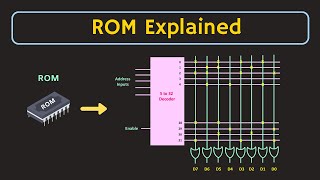
Read Only Memory (ROM) is a type of non-volatile memory that holds data that is permanently programmed during manufacturing or can be programmed once. Unlike RAM, ROM data cannot be altered during regular operations. Different types of ROM include Mask ROM, which is programmed in the manufacturing process, Programmable ROM (PROM), which can be programmed once after manufacturing, Erasable Programmable ROM (EPROM), which can be erased by exposure to UV light, Electrically Erasable Programmable ROM (EEPROM), which can be erased and reprogrammed electronically, and Flash memory, a fast variant of EEPROM commonly used for storage in USB drives and SSDs. Understanding these types helps in selecting the right type of memory for specific needs, especially when data needs to be retained reliably.
Examples & Analogies
Think of ROM like a cookbook that has permanently printed recipes (data) in it. Just like you cannot change the recipe in a traditional cookbook (normal operation), you cannot modify the data stored in ROM. Mask ROM represents a specially printed cookbook, while PROM is like a cookbook where you can write down one new recipe once. EPROM acts like a cookbook with removable pages that you can replace after erasure, and EEPROM is akin to a cookbook where you can easily swap out individual recipes.
Key Concepts
-
Memory Types: Memory can be classified into primary (such as RAM) and secondary memory (such as HDD).
-
Volatility: Volatile memory loses data when power is off; non-volatile memory retains it.
-
RAM vs. ROM: RAM is temporary and volatile, while ROM is permanent and non-volatile.
-
Memory Hierarchy: Comprises registers, cache, RAM, and secondary storage ordered by speed.
-
Addressing: Unique binary addresses access memory locations deterministically.
Examples & Applications
RAM is used by a computer to load and run programs temporarily while it's operational.
ROM is often used to hold firmware or system software, such as the BIOS in a computer.
Memory Aids
Interactive tools to help you remember key concepts
Rhymes
RAM is fast, for tasks not meant to last; ROM holds the codes, that never erode.
Stories
In a computer kingdom, RAM was the swift messenger delivering instructions in the blink of an eye, while ROM was the wise sage, holding ancient knowledge that could not be changed.
Memory Tools
For memory types, remember 'P.S. Don't Forget!' - P for Primary and S for Secondary.
Acronyms
VIP
Volatile is for RAM
Immutable is for ROM
Permanent is for EEPROM.
Flash Cards
Glossary
- Memory
A device or system used to store data and instructions in digital systems.
- Volatile Memory
Memory that loses its contents when power is turned off.
- NonVolatile Memory
Memory that retains data even when power is not supplied.
- RAM
Random Access Memory, a type of volatile memory used for temporary storage.
- ROM
Read Only Memory, a type of non-volatile memory that is pre-programmed.
- Memory Hierarchy
A classification of memory types by speed and capacity.
- Address Bus
A system that uses binary addresses to access memory locations.
- Microcontroller
A compact integrated circuit designed to govern a specific operation in an embedded system.
Reference links
Supplementary resources to enhance your learning experience.